
in2 | Release Notes
Coming Soon
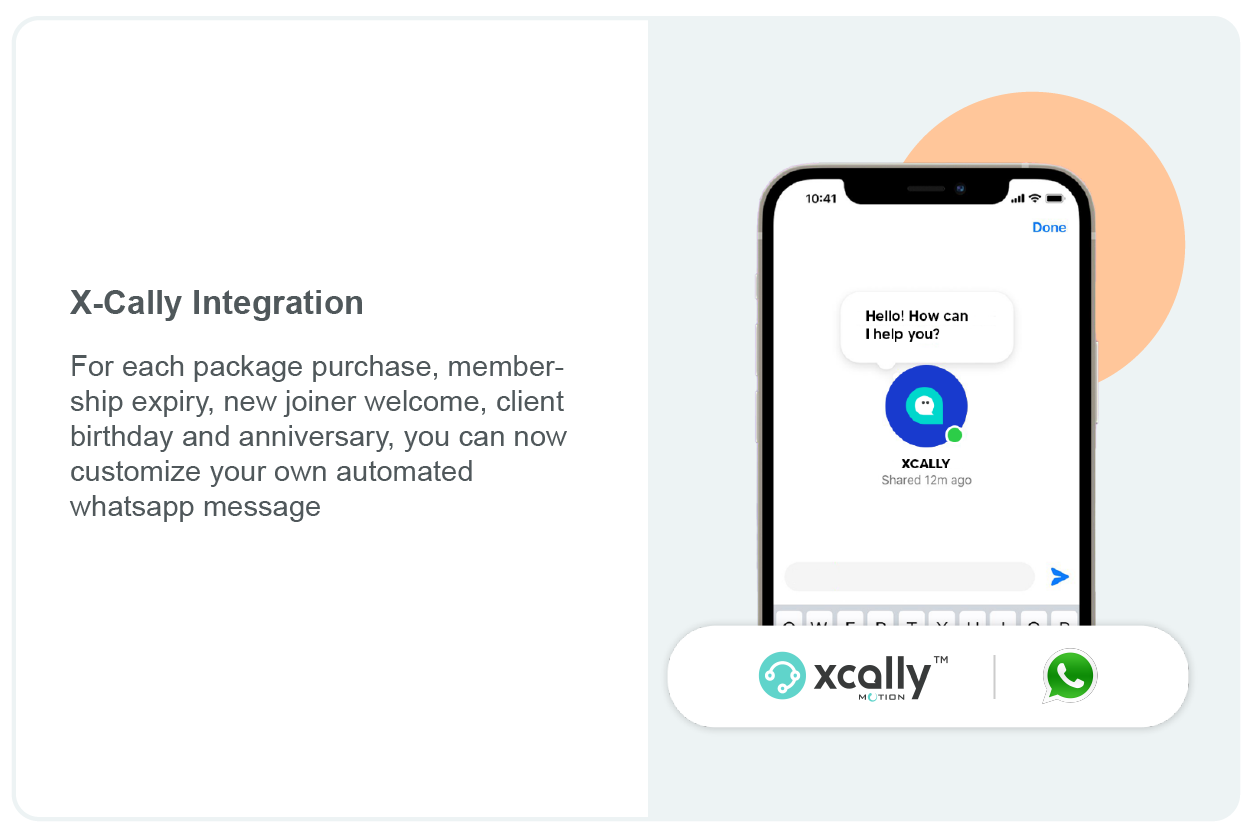
WhatsApp Integration: Connect directly with your clients on WhatsApp for quick, simple communication.
Credit-Based Packages: Let clients purchase credits and use them flexibly across classes, PT, appointments, gym access, and court bookings.
Business App: Seamless access to the "Business Web Portal" and its business management modules from the Mobile App.
Advanced Contract Management Stop chasing payments and let our platform handle recurring billing for you.
Class Revamp: A redesigned class modal will be introduced in the Activities module.
2026
October 2026
On-Site Self Check-In
We're excited to announce that in2 On-Site Self Check-In is now live!
With the new tablet/kiosk experience, your clients can quickly check themselves into their booked classes upon arrival, helping reduce front-desk workload and creating a faster and smoother check-in experience.
Clients can also sign up for classes directly from the kiosk, with the option to create a new customer profile when enabled by your business.
Make arrivals simpler with in2 Self Check-In.
Staff Email & Notification Preferences Are Now Live!
With the new Emails/Notifications section, from Staff Details, you can:
- Select the operational email notifications each staff member should receive. (enabled by default for Levels 4 & 5)
- Quickly Subscribe to All or Unsubscribe from All optional emails.
- Have changes saved automatically.
- Keep critical billing and subscription notifications enabled automatically.
Distance Filter on in2 App
The facility search will now display results in two sections:
- Facilities within the selected distance (default 25 km)
- Facilities outside the selected distance (default 25 km)
When the user changes the distance filter, for example from 25 km to 50 km or 5 km, both sections will automatically update based on the selected range.
Check-In Attendance Report for ZKTeco Users
You can now access the Check-In Attendance Report directly from the in2 portal, making it easier to track and review members' gate check-in times in one place.
With this update, you can:
- View members' gate check-in times directly from the portal.
- Easily access and review ZKTeco attendance records.
- Ensure attendance data remains securely accessible only to authorized businesses.
The report will be automatically enabled for eligible businesses.
September 2026
Multilingual Transaction Printouts
You can now print transactions in your preferred language, making receipts and transaction printouts easier for both your staff and customers. You can select your preferred printing language from Basic Business Settings.
More Flexible Staff Permissions for Attendee Deletion
We've enhanced Staff Roles by splitting the attendee deletion permission into two separate roles, giving you greater control over who can manage class attendance.
More Flexible PT Booking Time Configuration
We've enhanced the PT Latest Booking Time setting to provide greater flexibility when managing last-minute bookings. The field now accepts decimal values, allowing you to configure booking cut-off times with greater precision.
Courts - Add Reservation, Edit Date & Time
You can now easily edit the reservation date and time directly from the Add Reservation button, giving you more flexibility when managing your field bookings.
New Feature: SignUp Email Triggers Are Live!
We've added new Signup Triggers to Email Settings, giving you more ways to automatically engage with clients after they sign up. You can now enable and customize three automated emails:
- Feedback After Signup
- Motivation After Signup
- Refer a Friend
New Search Bar In Take Attendance
A new Search Bar is now available at the top of the Take Attendance screen, allowing trainers to quickly search and find attendees within the selected class.
August 2026
We are excited to introduce a complete Mobile App Uplift, designed to deliver a more modern, intuitive, and user-friendly experience for your clients.
PAYSTACK PAYMENT GATEWAY
Paystack is now available as a payment gateway on in2, enabling businesses in Nigeria, Ghana, Kenya, South Africa, and Côte d'Ivoire (Ivory Coast) to securely accept online payments.
UNASSIGNED SERVICES TO ROOMS IN APPOINTMENT MANAGEMENT
We've introduced a warning banner and a dedicated Unassigned Services page to help tenants quickly identify appointment services that are not assigned to any room, with the ability to assign a room directly from the list to make those services immediately available for booking.
MULTILINGUAL WEB APP
The Multilingual Web App is now live, allowing users to switch between English, Arabic, French, Hindi, Tagalog, and Urdu.
July 2026
Used Passes in Range' Column for the Packages Report
Search and Package Breakdown Enhancement on App
WaiverRe-sign Requirement Enhancement
TURN EVERY LEAD INTO A LOYAL MEMBER
Manage every lead from first contact to first class, all in one place. Assign, track, and convert without leaving your portal.
FIND ANY SCHEDULE IN SECONDS
Your Payroll Report and Client Report now filter by Schedule Group and Schedule, so you can focus on one class or one group instead of scanning the whole list.
KNOW EXACTLY WHICH PASSES GOT USED
A new Class Chat toggle on each staff profile lets you enable or disable messaging for Classes and PT sessions — per instructor, in seconds.
SEARCH & PACKAGE BREAKDOWN ENHANCEMENT ON APP
Packages on the app are now grouped by category and include a search function for easier browsing.
WAIVER RE-SIGN REQUIREMENT ENHANCEMENT
A new checkbox has been added to the Waiver Editor page, allowing staff to require all users to re-sign an updated waiver, with an information tooltip explaining that existing waiver signatures will be reset.
COMBO PACKAGES
Combo Packages are now live on the app and web app and can be viewed and used when purchasing a new package, booking a class and selecting a package, as well as from the user's Profile section.
A “Disable Online” option has been added when creating or editing a Combo Package. When enabled, the Combo Package will remain available on the portal but will not be displayed or available for purchase on the mobile app.
UNASSIGNED PACKAGES BANNER IN PACKAGES MODULE
We've added a warning banner and a dedicated Unassigned Packages tab to help tenants quickly identify and manage packages that are not assigned to any event, service, or activity, ensuring they become visible for customer purchase once assigned.
March 2026

Portal
Migrate Branch Data
Hello,
We’re excited to introduce a powerful new feature designed to simplify branch management and support your operational changes more efficiently.
Migrate Branch Data
You can now seamlessly transfer all data from one branch to another and deactivate the original branch — all in just a few clicks.
How to Access
To use this feature:
Company Settings → Branches → “Migrate Branch Data”
What This Does
- • Transfers all relevant data from the selected source branch to a target branch
- • Deactivates the original branch after migration
- • Ensures continuity without manual data re-entry
Important Note
This action is permanent and cannot be undone.
We strongly recommend reviewing all details before proceeding.
Merge Staff Accounts
Managing duplicate or multiple staff profiles just got easier.
You can now merge two staff accounts directly from the portal, allowing you to consolidate data and keep your records clean and organized.
Where to find it
Company Settings → Staff → Merge Staff Accounts
How it works
- • Select the Source Staff (this account will be deactivated)
- • Select the Destination Staff (this account will receive all data)
- • Confirm the merge
All data from the source account — including history and records — will be moved to the destination account seamlessly.
Important:
This action is permanent and cannot be undone, so please review your selection carefully before confirming.
Sessions Owed Report – Bulk Delete Improvement
We have released a useful improvement in the Sessions Owed Report to make managing sessions faster and more efficient.
You can now select multiple clients using checkboxes and delete sessions in bulk directly from the report.
How It Works
- • Go to Reports → Sessions Owed Report
- • Use the checkboxes next to the clients you want to manage
- • Click Delete Sessions to remove them in bulk
This feature saves time and simplifies the process when multiple sessions need to be adjusted or removed.
February 2026
Schedule Change Visibility – New Enhancement
Customizable Attendance Time Window
Earliest Booking Time Configuration
Improved Class Attendance Count Accuracy

Portal & App
Schedule Change Visibility – New Enhancement
We’re excited to share a new improvement designed to bring more clarity and transparency to your scheduling experience.
If you are using Preselected Packages and update your class schedules, any schedule changes will now be clearly displayed across all platforms:
 Portal
Web App
Mobile App
This means that when clients/staff are reserving sessions, they will instantly see any updated dates or changes, ensuring better communication and fewer surprises.
Customizable Attendance Time Window
Hello,
We are pleased to announce a new improvement to the attendance management feature for instructors.
Previously, attendance could only be taken from 1 hour before the class and up to 3 hours after it ended.
Now, you can customize this time window based on your business needs directly from the portal.
How to configure it: Company Settings → Online Booking → Additional Online Booking Settings → Attendance Update Window
Earliest Booking Time Configuration
You can now control how early clients are allowed to book PT sessions through the mobile app.
Staff can configure the minimum number of hours required before a PT session can be reserved, ensuring better schedule management and preparation time.
Where to configure:
Portal → Online Booking → Additional Online Booking Settings → Booking Options
Portal
Delete Branch Enhancement
We’re excited to introduce an improvement that gives you more control and visibility when managing branches directly from the portal.
You can now delete a branch with just a few clicks. Before the deletion is completed, a clear confirmation pop-up will appear, informing your staff about the impact of this action — including the number of upcoming bookings that will be canceled (for example, upcoming classes).
Staff can then choose to:
● Proceed and cancel all bookings.
● Cancel and remove them manually before deleting the branch.
Improved Class Attendance Count Accuracy
Late cancellations are no longer included in the total attendee count for classes.
Previously, late-cancelled attendees were counted in the class schedule totals. With this improvement, only valid attendees are now considered.
The attendee count is displayed as X / Y / Z, where:
X = Present attendees
Y = Total attendees (excluding late cancellations)
Z = Class capacity
Example:
2 present + 1 late cancellation, capacity 8 → 2 / 2 / 8
January 2026
App
Buy package from homepage
We're pleased to introduce a new enhancement on your branded apps, designed to make package purchases faster and more accessible for your clients, providing a smoother journey for your clients from the moment they open the app.
● What's New?
Your clients can now buy packages directly from the branded app's homepage, reducing steps and improving the overall purchase experience.
● Availability
This feature is available on branded apps only. To activate it on your branded app, please contact our Customer Support Team.
Portal
Bulk Delete Sessions Owed
We're excited to share a new improvement now available on the portal, designed to help reduce manual work and give you better control when managing sessions owed.
● You can now bulk delete sessions owed directly from the Sessions Owed Report.
● Filter the report by a specific date.
● Click on the Delete Sessions Owed button.
● After confirming the pop-up message, all sessions owed for the selected date will be removed.
Appointments Module
We're excited to share an enhanced design for the Appointments Module on the portal, created to deliver a more intuitive, user-friendly experience while continuously improving the overall portal interface.
What's new?
● Flexible Slot View: View appointment slots in 15-minute or 30-minute intervals for better schedule control and clarity.
● Day / Trainer View: Staff can view appointments by day and easily filter schedules by trainer.
● Day per Trainers View: View all trainers together along with their assigned sessions for the selected day, providing a comprehensive schedule overview.
Enhanced Dashboard Now Available
We're excited to introduce our extended and more detailed Dashboard, designed to give you deeper visibility into your day-to-day performance and analytics.
With this enhancement, you can:
Monitor key metrics more clearly
Track daily operational insights with greater accuracy. Make faster, data-driven decisions.
👉 Want to enable this feature?
Please reach out to us via the Expansion Link, and our team will be happy to assist you.
2025
April 2025
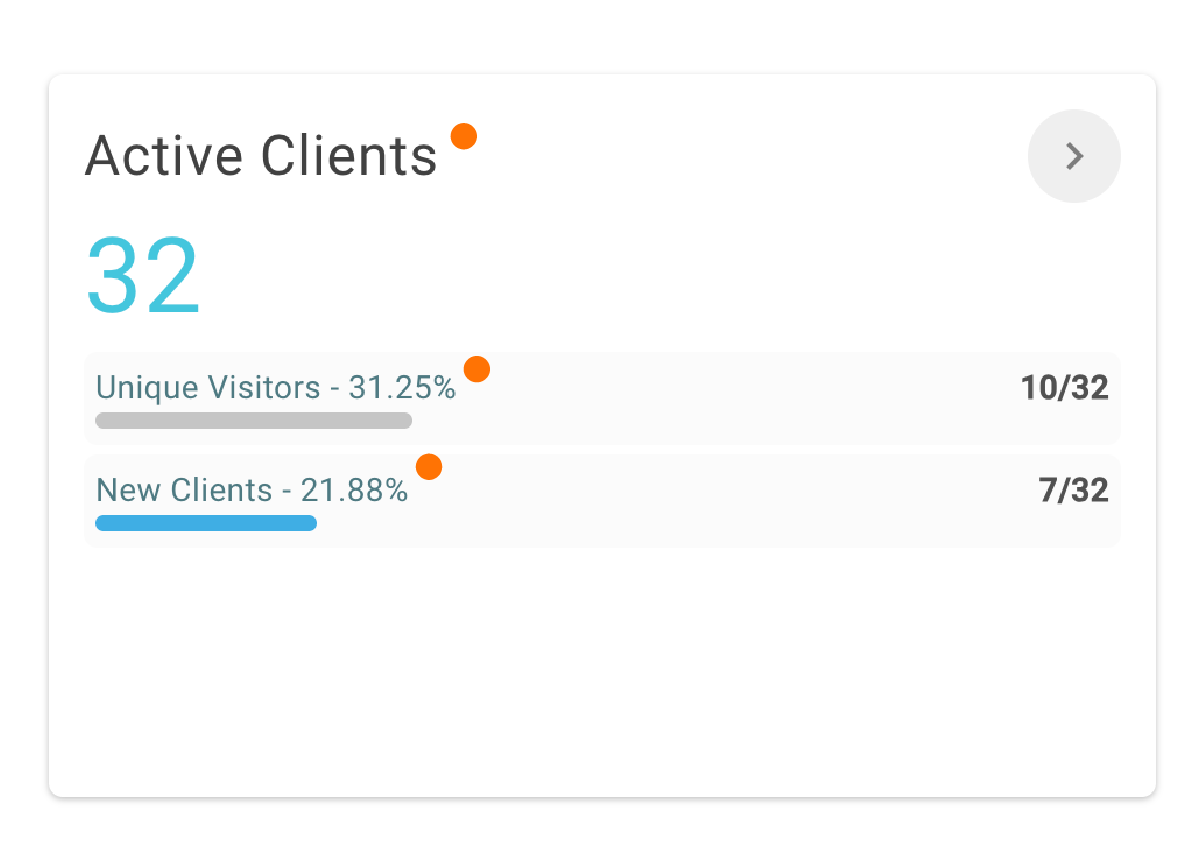
The Dashboard has been Updated: Active Clients - Unique Visitors - New Clients
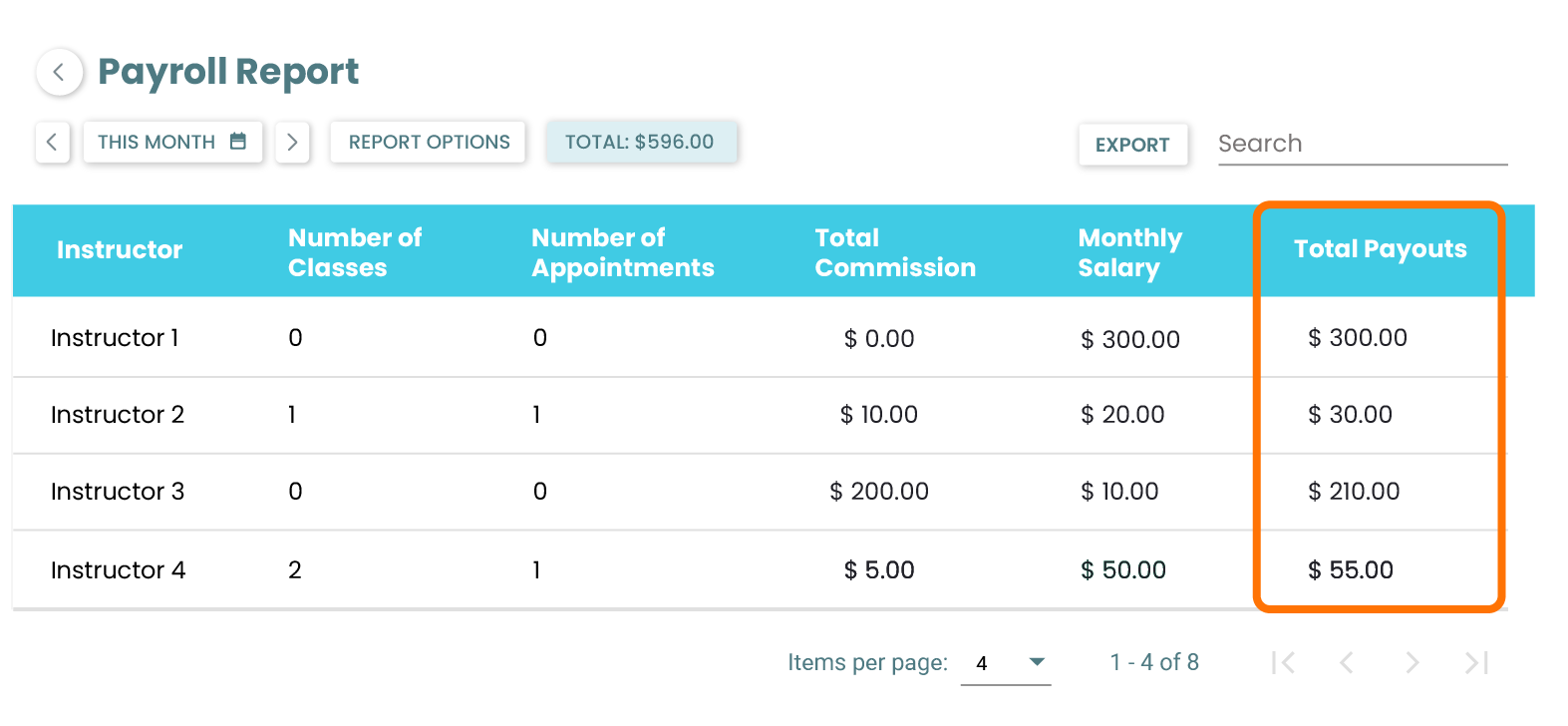
Payroll Report now includes 'Total Payouts'
For improved accessibility and insights, the dashboard has been updated to include the following metrics for the staffs’ reference:
- • Active Clients: shows the total number of Active Clients for the business in the selected time period.
- • Unique Visitors: counts any client that has a reservation during the time period.
- • New Clients: counts any new client that has purchased a new package in the selected time period.
For a streamlined user experience, the Payroll Report now includes 'Total Payouts,' a new field that calculates and displays the combined total of Commission and Monthly Salary.
June 2025
Enhanced Online Booking Settings
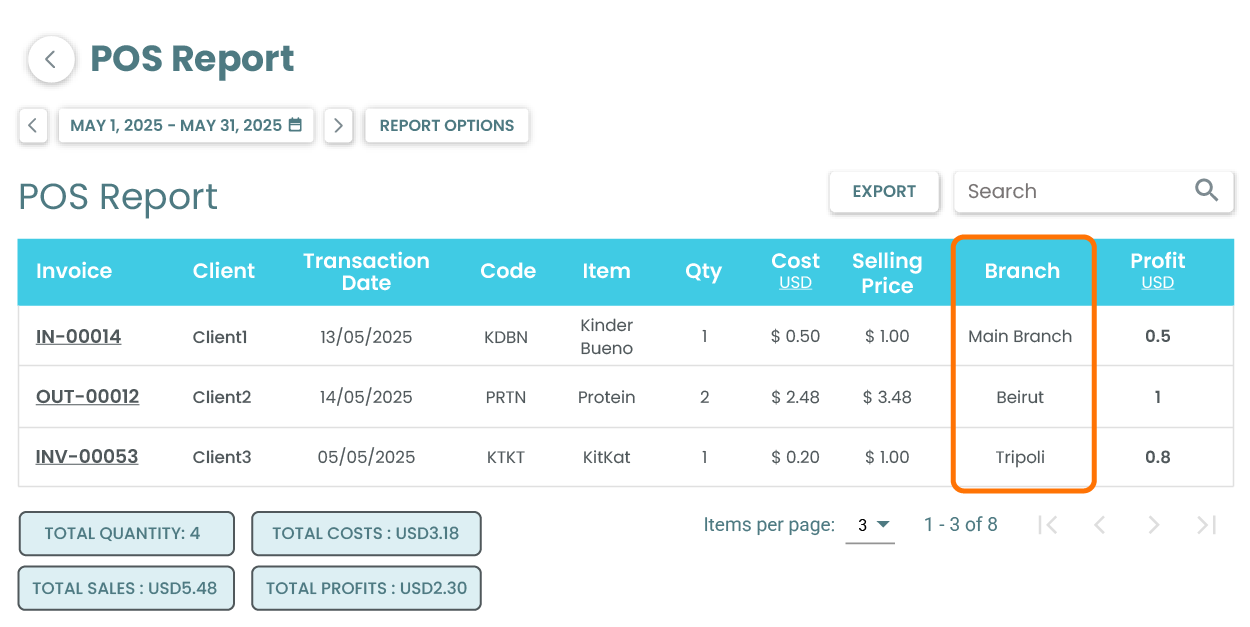
Added Branch Column ro POS Report
Notifications whenever a Client Cancels a PT Session or a Class
Field Cancellation Policy is Now Available!
Optimize Your PT Sales & Member Experience
Reservation time clearly displayed on the "Book Now" button
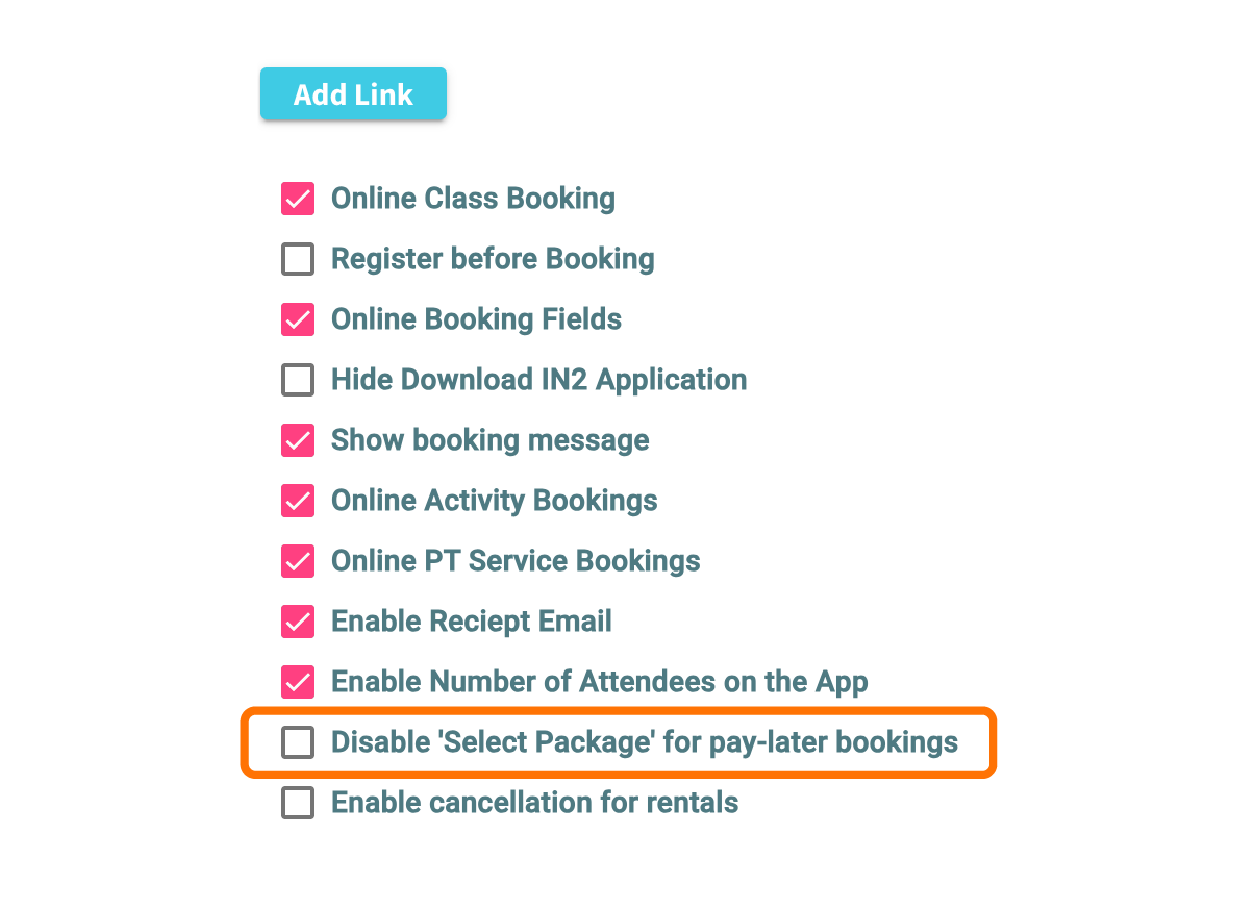
We've made an enhancement to your online booking settings!
You can now easily turn on or off the Select Package button for the Book and Pay at Frontdesk payment option.
To access this, navigate to: Company Settings > Online Booking
Great news! We've added a Branch column to your POS Report to enhance visibility.
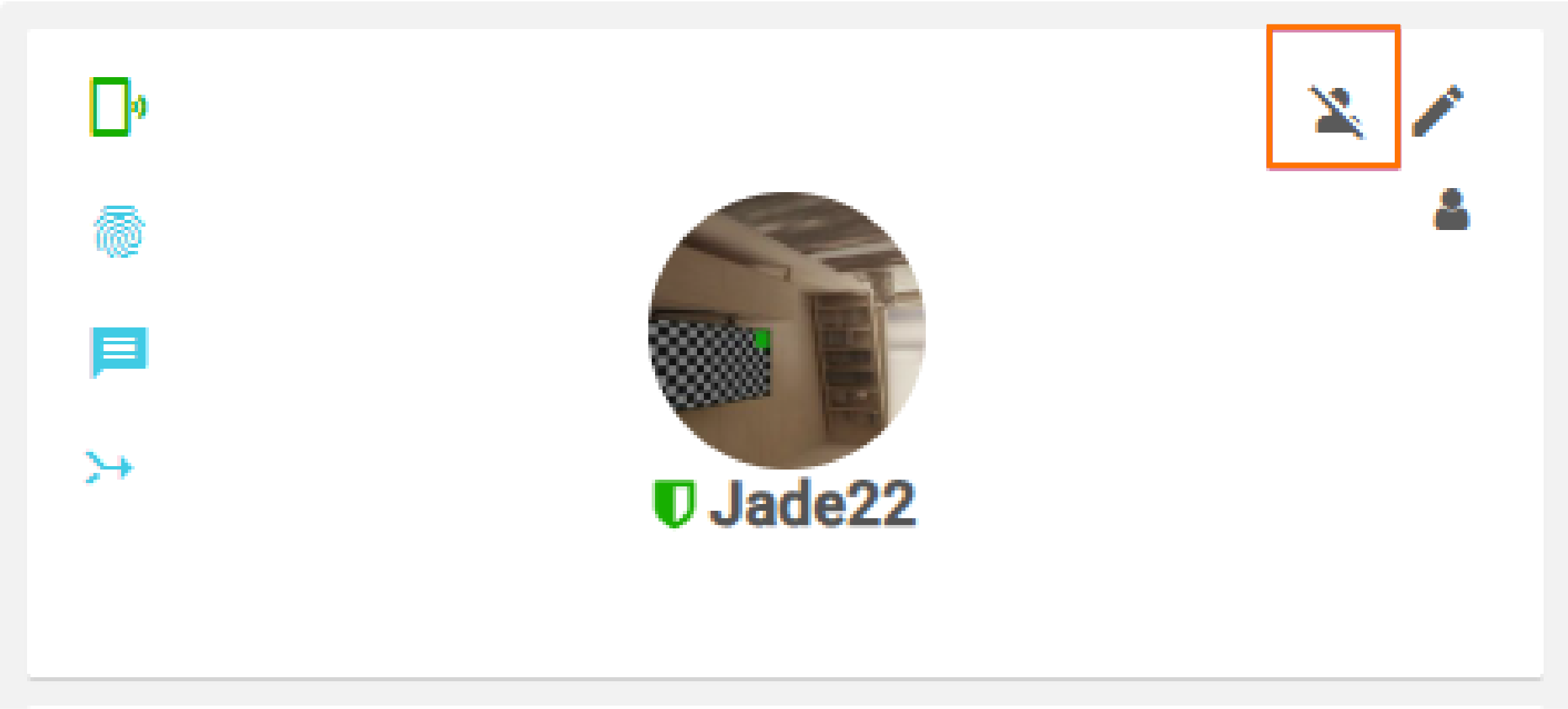
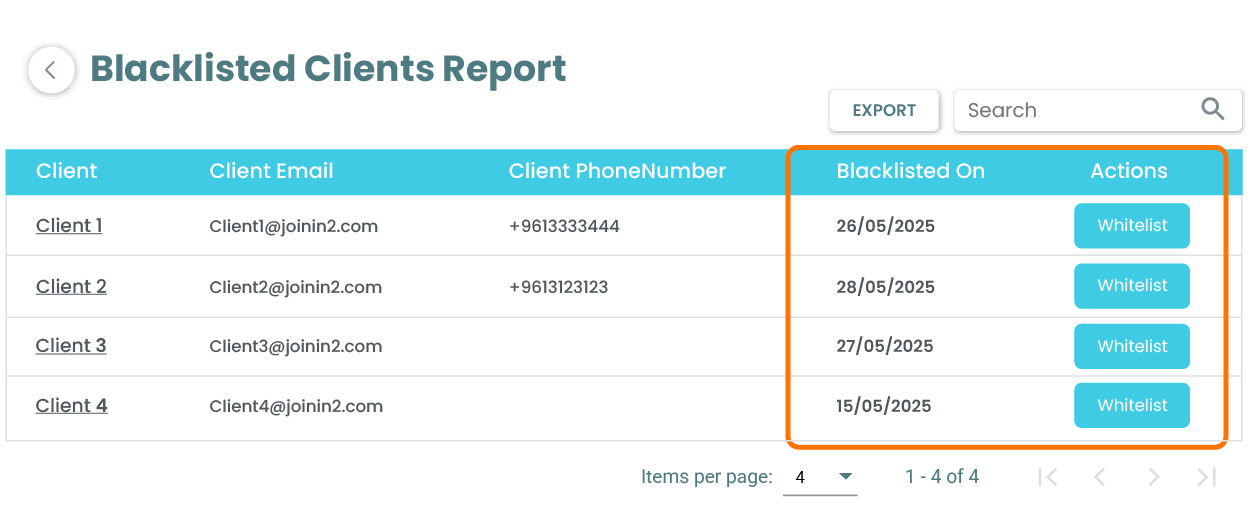
We're excited to announce a powerful new feature designed to give you even more control: the Blacklist!
This highly requested addition allows you to easily block users from online booking.
Now you can enjoy a more streamlined and focused experience.
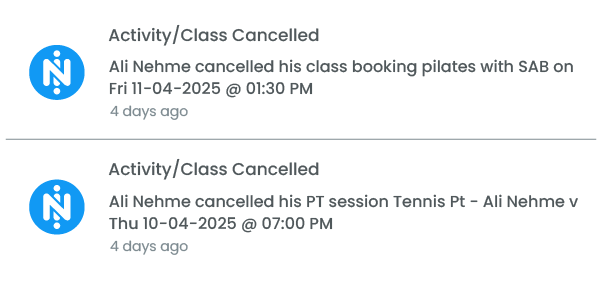
Good news for instructors! You'll now receive timely notifications whenever a client cancels a PT session or a Class, helping you stay organized.
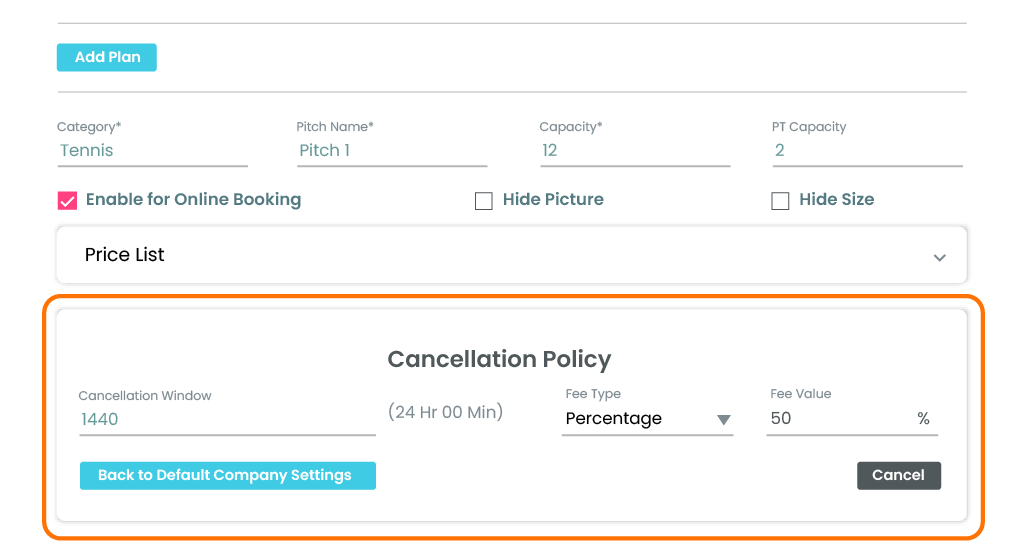
We're excited to announce a powerful new feature designed to give you more control and flexibility: Field Cancellation Policy is now available!
You can set up the Policy by accessing:
Basic Business Settings: Set up your default cancellation policy for the entire tenant.
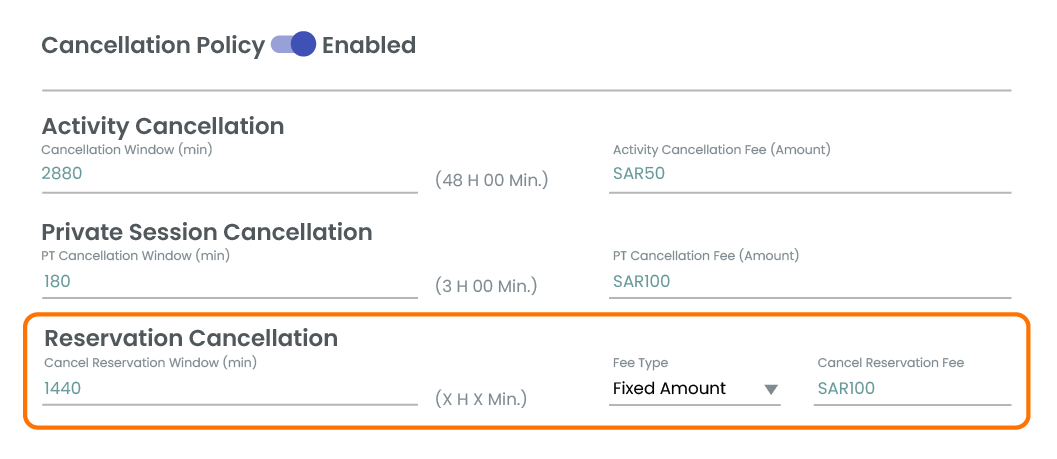
Manage Courts: Configure specific cancellation policies for individual field plans directly within the court management section.
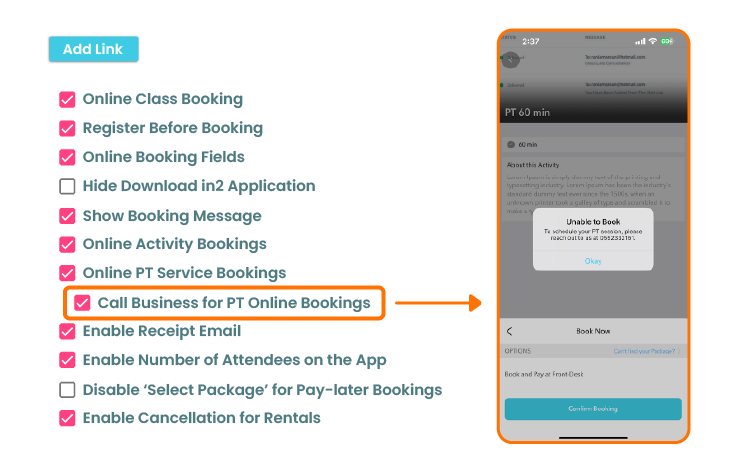
Optimize Your PT Sales & Member Experience!
We're excited to introduce a powerful new option designed to boost your Personal Training (PT) sales while streamlining your operations. You can now enable your PT services to be visible within your app, but without direct online booking capabilities.
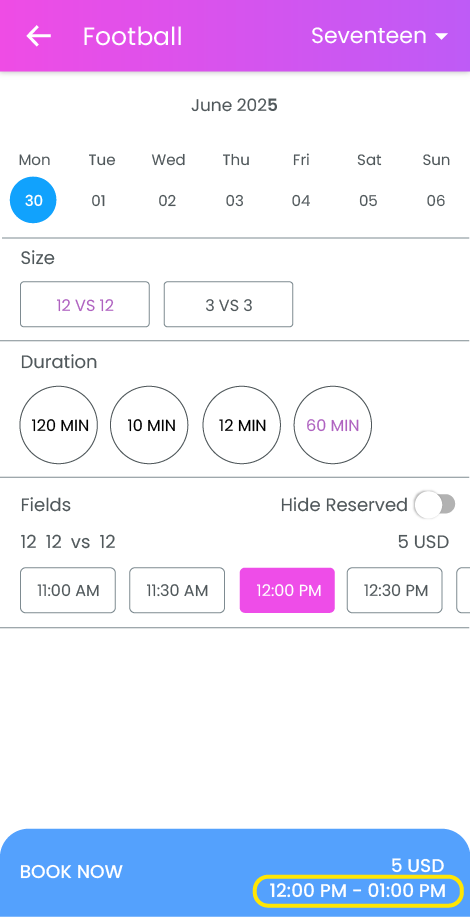
Great news for field reservations! Once you select your time slot, you'll now see the exact reservation time clearly displayed on the 'Book Now' button as you proceed to checkout.
November 2025
Multilingual App & Portal – Now Supporting 6 Languages
Customized Categories per Client
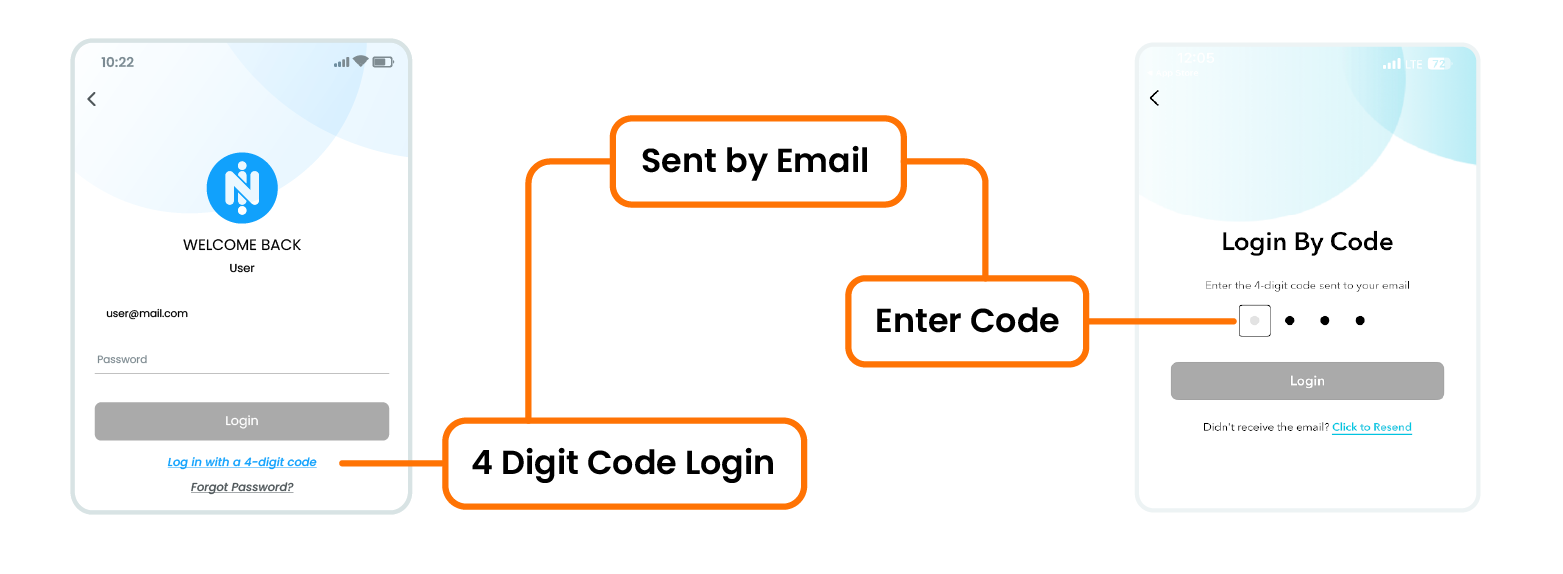
4-Digit Code Login for Forgotten Passwords
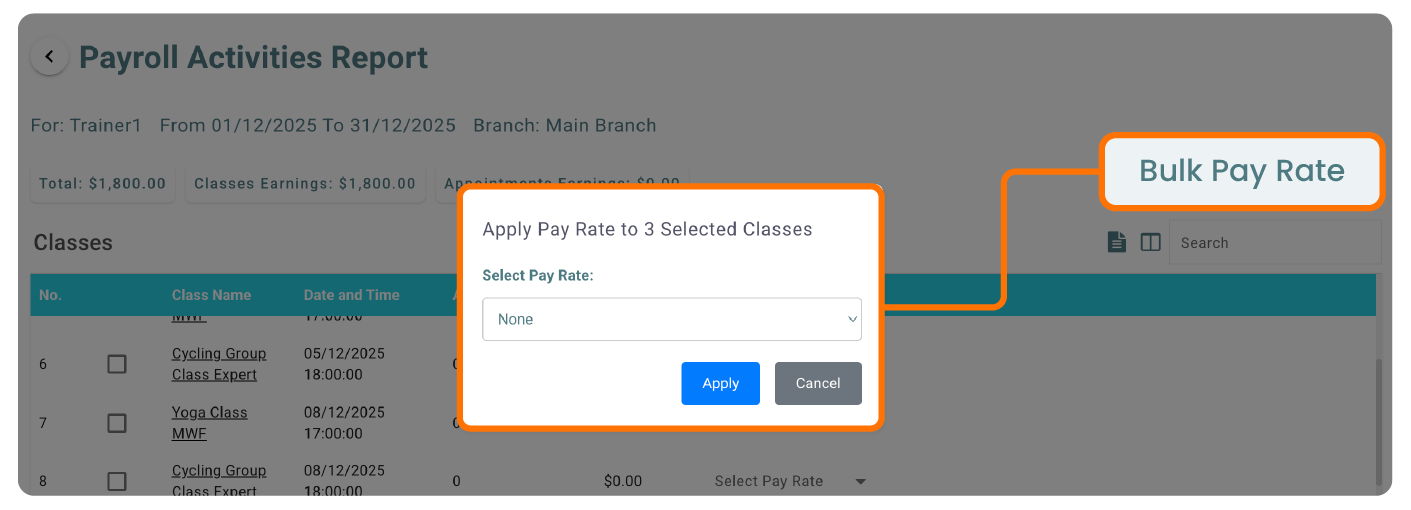
Streamline Your Payroll with the New Bulk Pay Rate Feature
Multilingual App & Portal – Now Supporting 6 Languages
Your platform can now be viewed in six different languages, allowing you to serve a broader audience and offer an inclusive experience for your community.

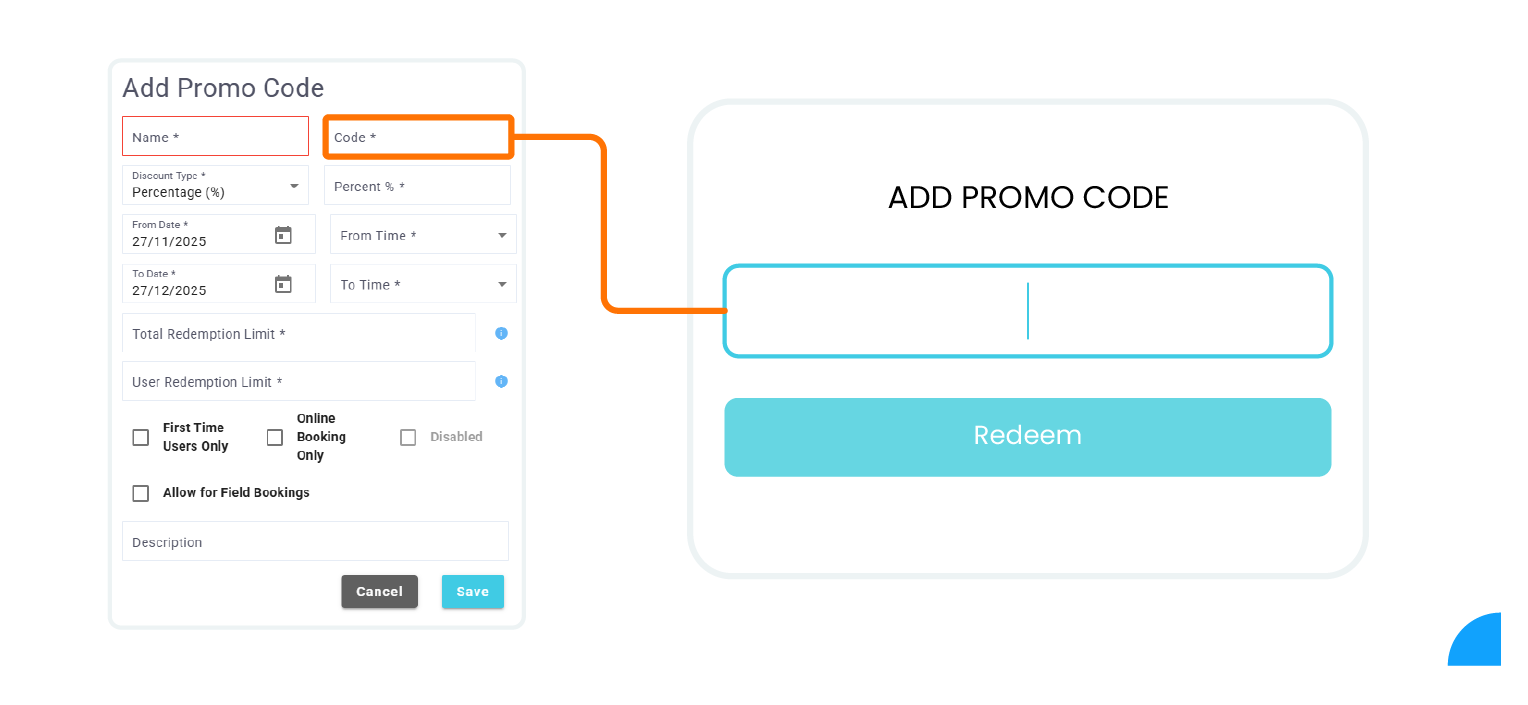
Promo Code Support
You can now activate and manage promo codes, allowing you to run campaigns, offer discounts, and enhance member engagement.
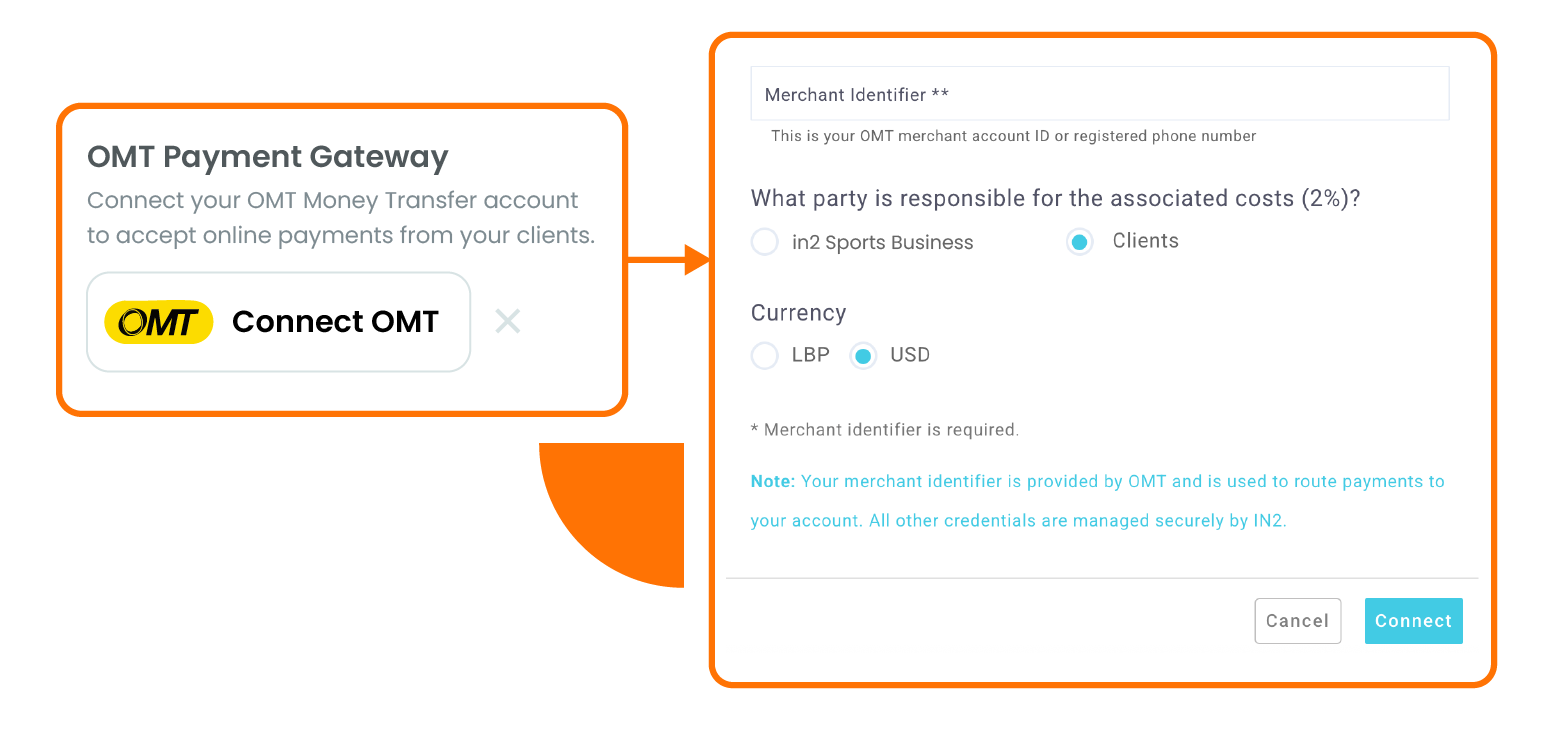
Pay Your Bills Through OMT!
We are pleased to announce that our platform is now officially integrated with OMT, offering you a faster and more convenient way to settle your payments.
Sign in with Apple
Members can now log in using their Apple account across in2 and all branded applications, making sign-in easier, faster, and more secure.

Customized Categories per Client
Categories within your platform can now be fully customized based on your business needs, offering greater flexibility and better content organization.

4-Digit Code Login for Forgotten Passwords
In case a member forgets their password, they can now access their account using a secure 4-digit verification code, simplifying the recovery process.
ClassPass Enhancement
You can now control the number of passes displayed on ClassPass for each branch and category, giving you greater flexibility and improved visibility management.

Streamline Your Payroll with the New Bulk Pay Rate Feature
We’re excited to introduce the new Bulk Pay Rate button in the Payroll Activities Report, designed to help you save time and enhance accuracy.
This improvement lets you apply one pay rate across multiple classes or appointments with just a few clicks. Experience faster, more efficient payroll management starting today.
August 2025
Currency is now Displayed Next to the Minimum and Maximum Fields
We're thrilled to announce that we've successfully integrated with Paymob, a leading payment gateway in the MENA region.

We've made a quick but impactful update! You'll now see the currency displayed next to the minimum and maximum fields. Plus, we've added an info button to clarify what those amounts refer to.
March 2025
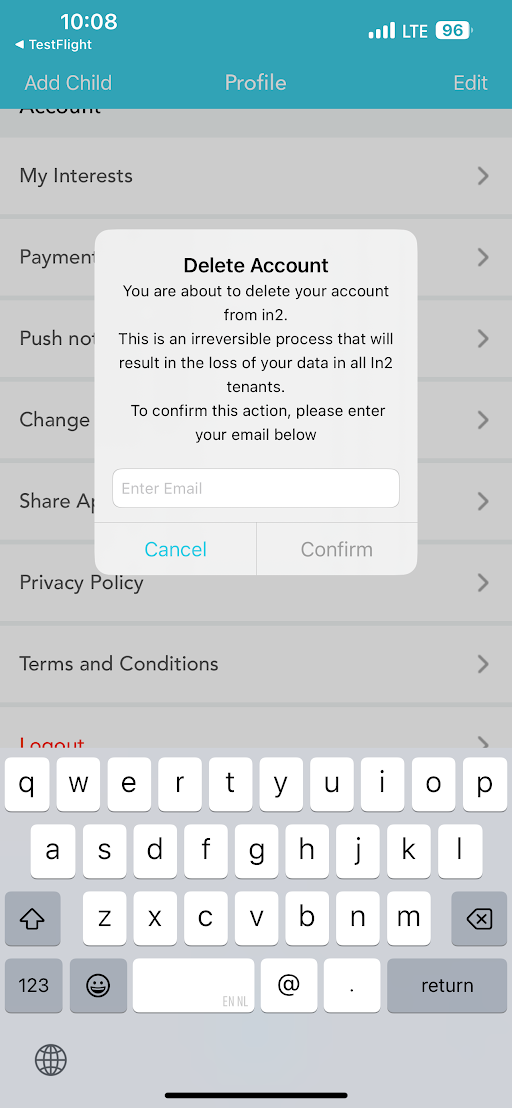
Email Verification Step has been Added when Deleting an Account
The Days of the Week are now in Bold in the Activities Section
To enhance your user's security, an email verification step has been added when deleting an account.
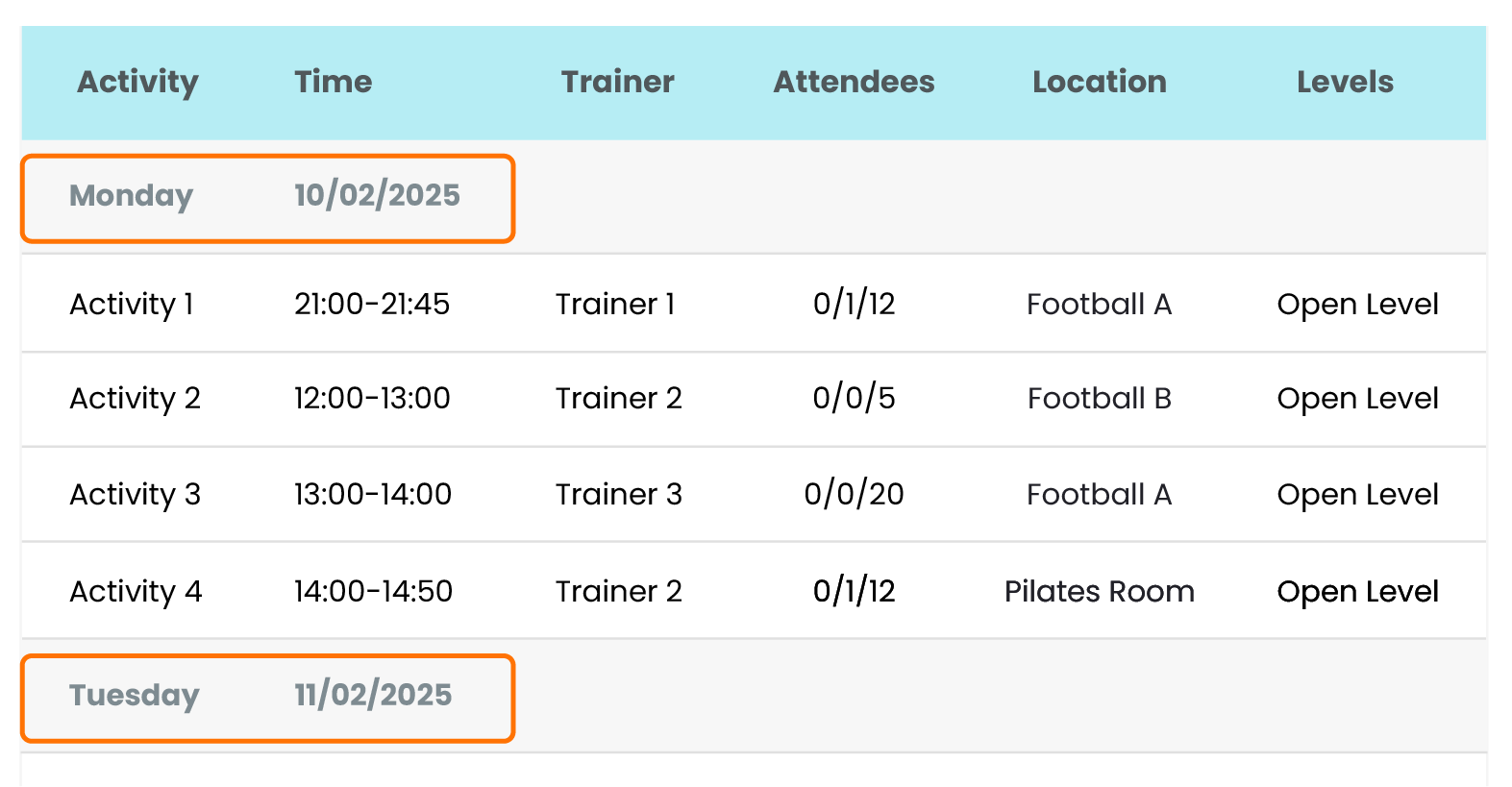
For improved visibility, the days of the week are now in Bold in the Activities section.
January 2025
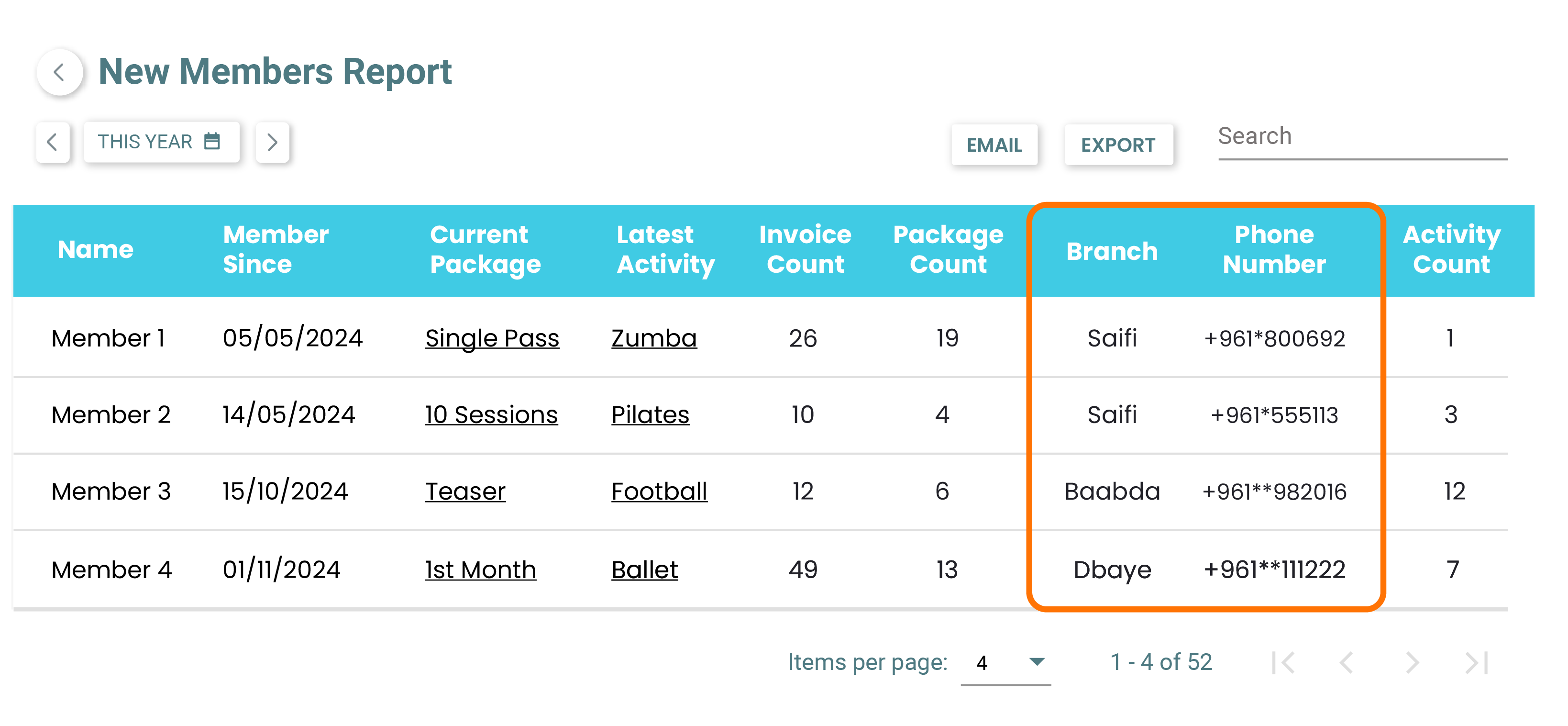
Added 'Phone Number' & 'Branch' Columns in the 'New Members' Report
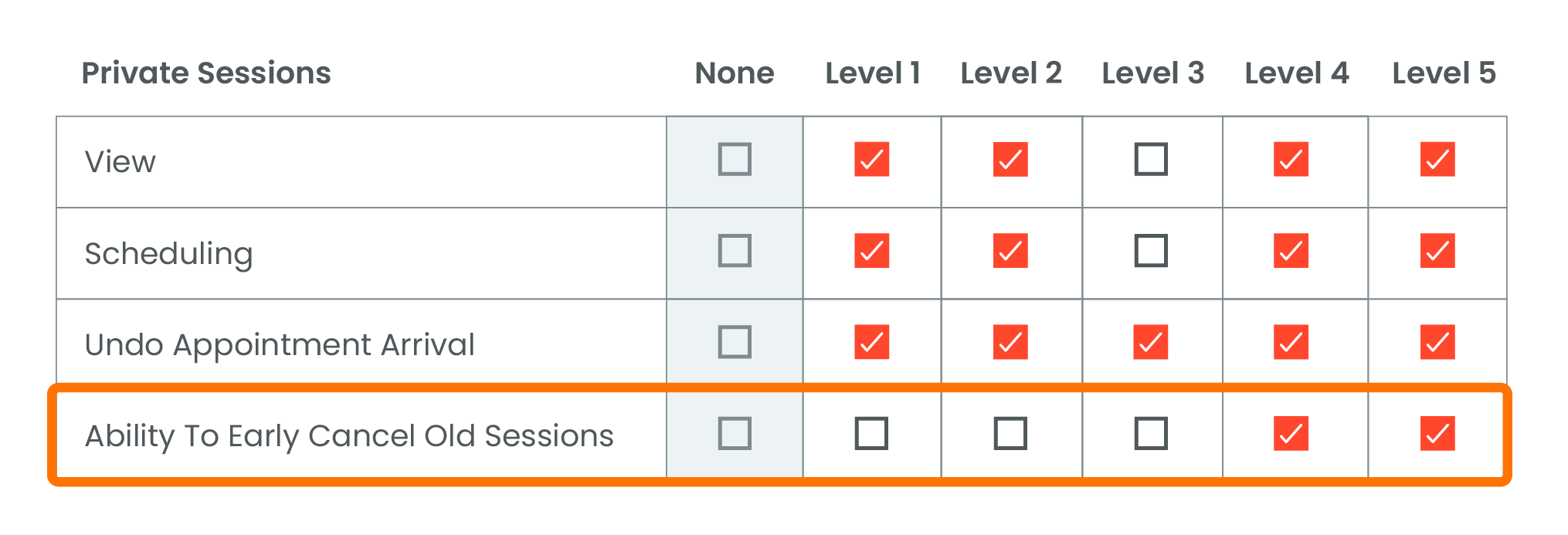
Added a Security Tag to Early Cancel Old Private Sessions
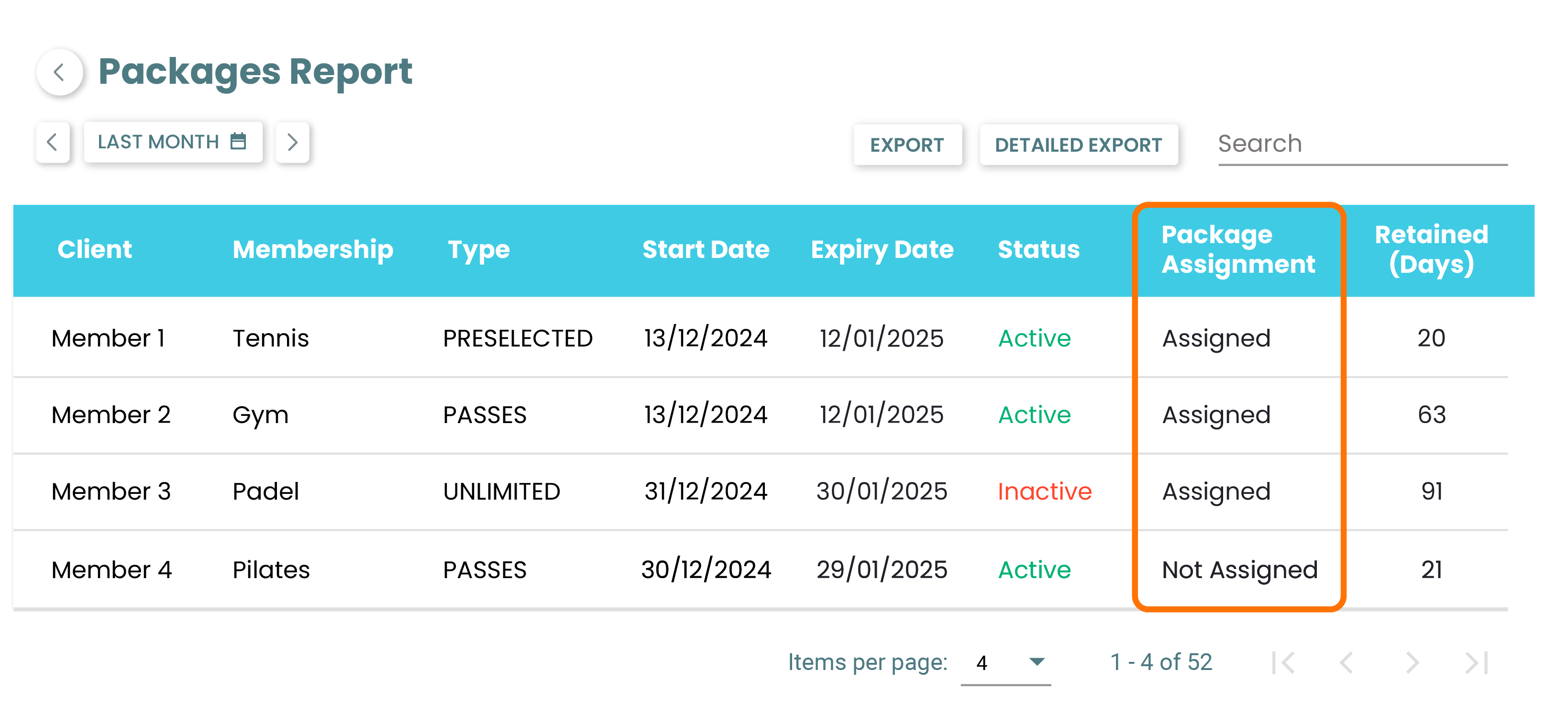
All Packages Appear in Packages Report Whether Assigned to a Schedule or Not
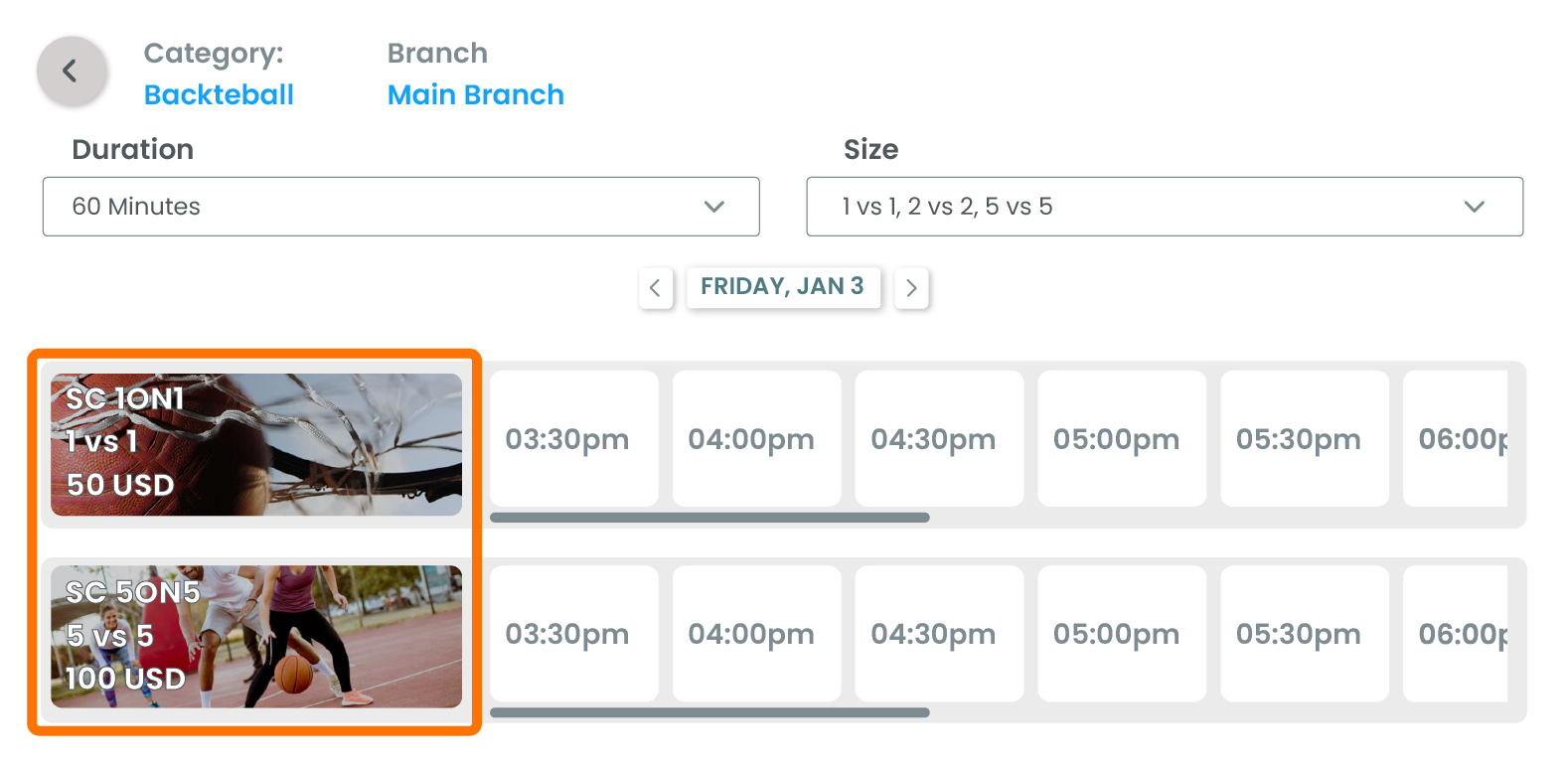
Customize Category Image when Booking a Field on the Widget
Added 'Phone Number' & 'Branch' columns in the New Members Report
Added a Security Tag to Early Cancel Old Private Sessions
All Packages now appear in the Packages Report whether assigned to a schedule or not
Customize category image when booking a field on the widget
2024
December 2024
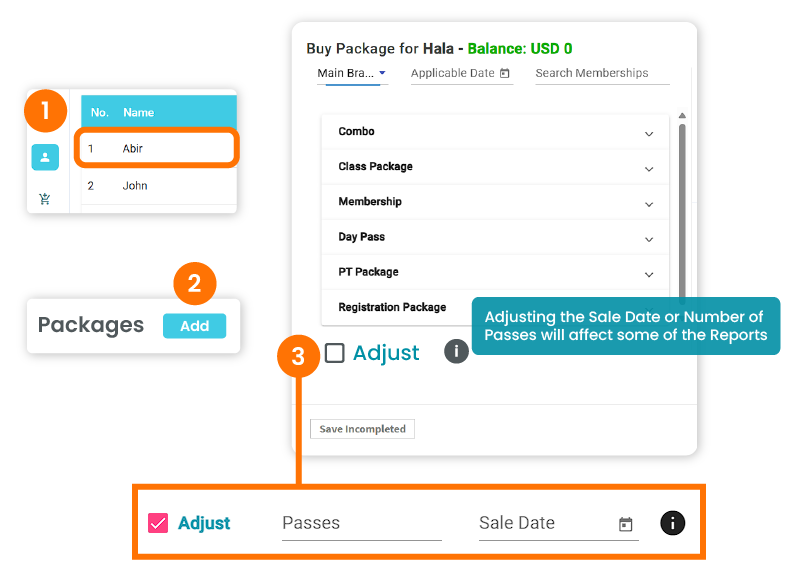
Added an Info Button Near the 'Adjust' Checkbox
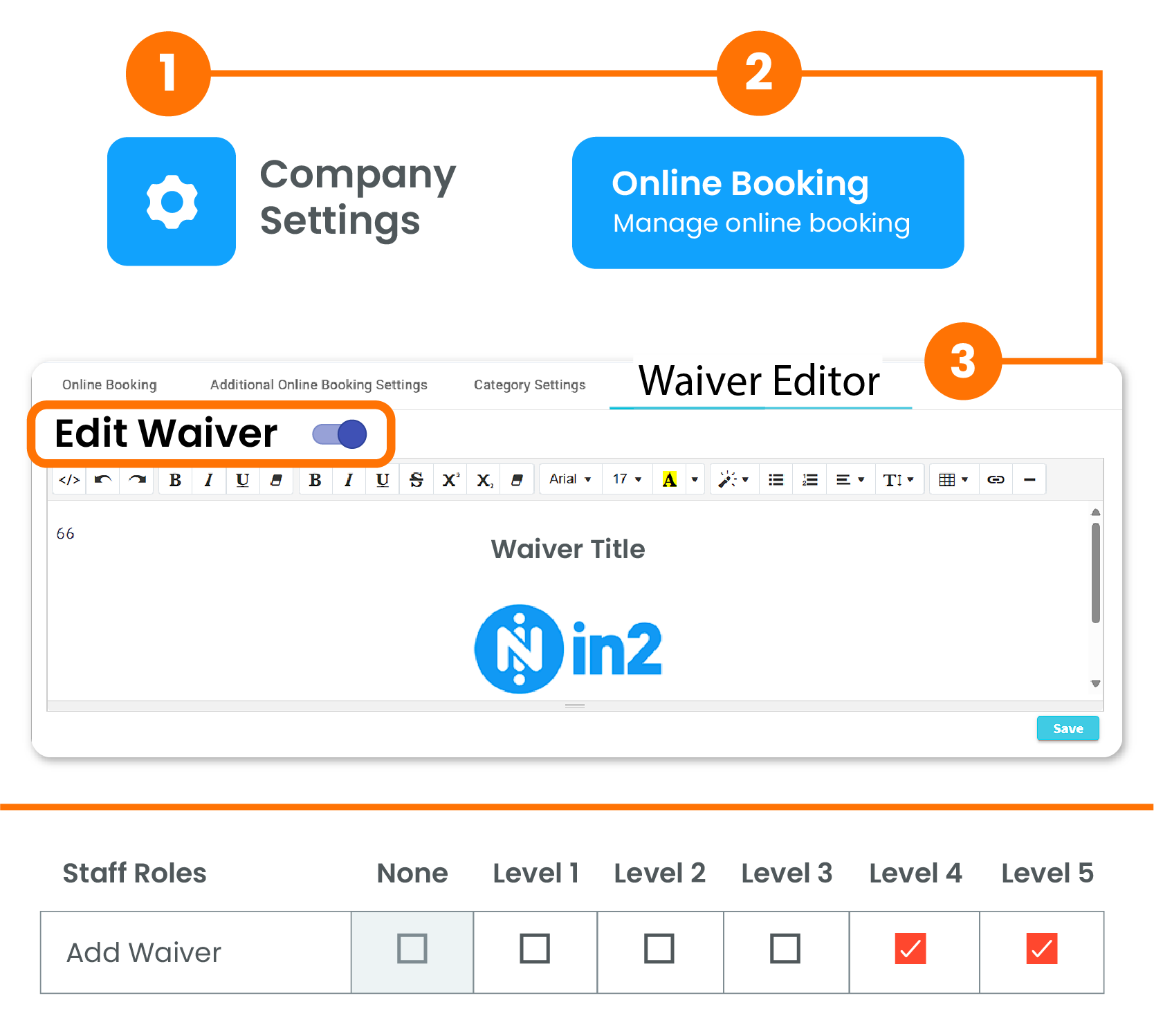
Can Add/Edit Waiver From Portal
Classes View is Updated to Time View
Added an info button near the 'Adjust' checkbox when buying a package on the portal.
Clients can Add/Edit Waiver from the Portal directly
Classes view is updated to Time View.
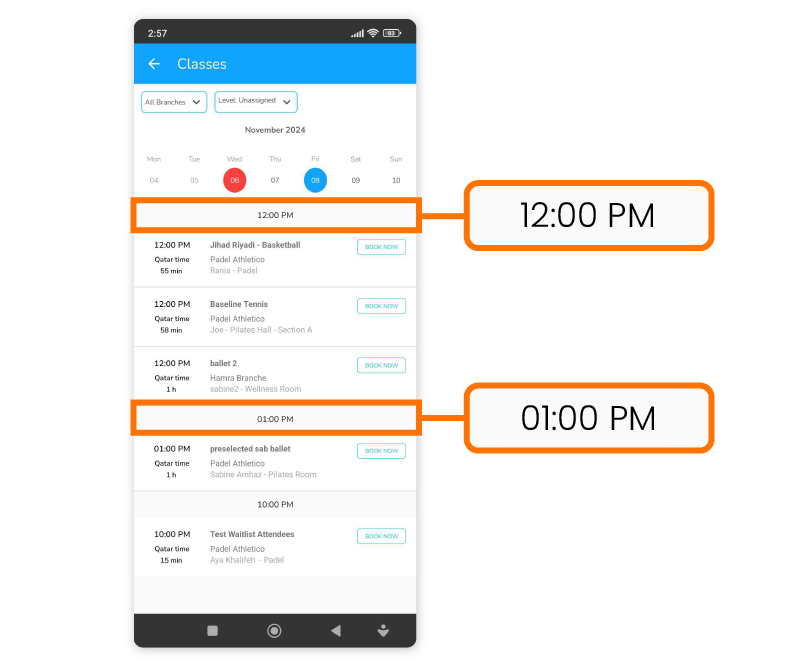
November 2024
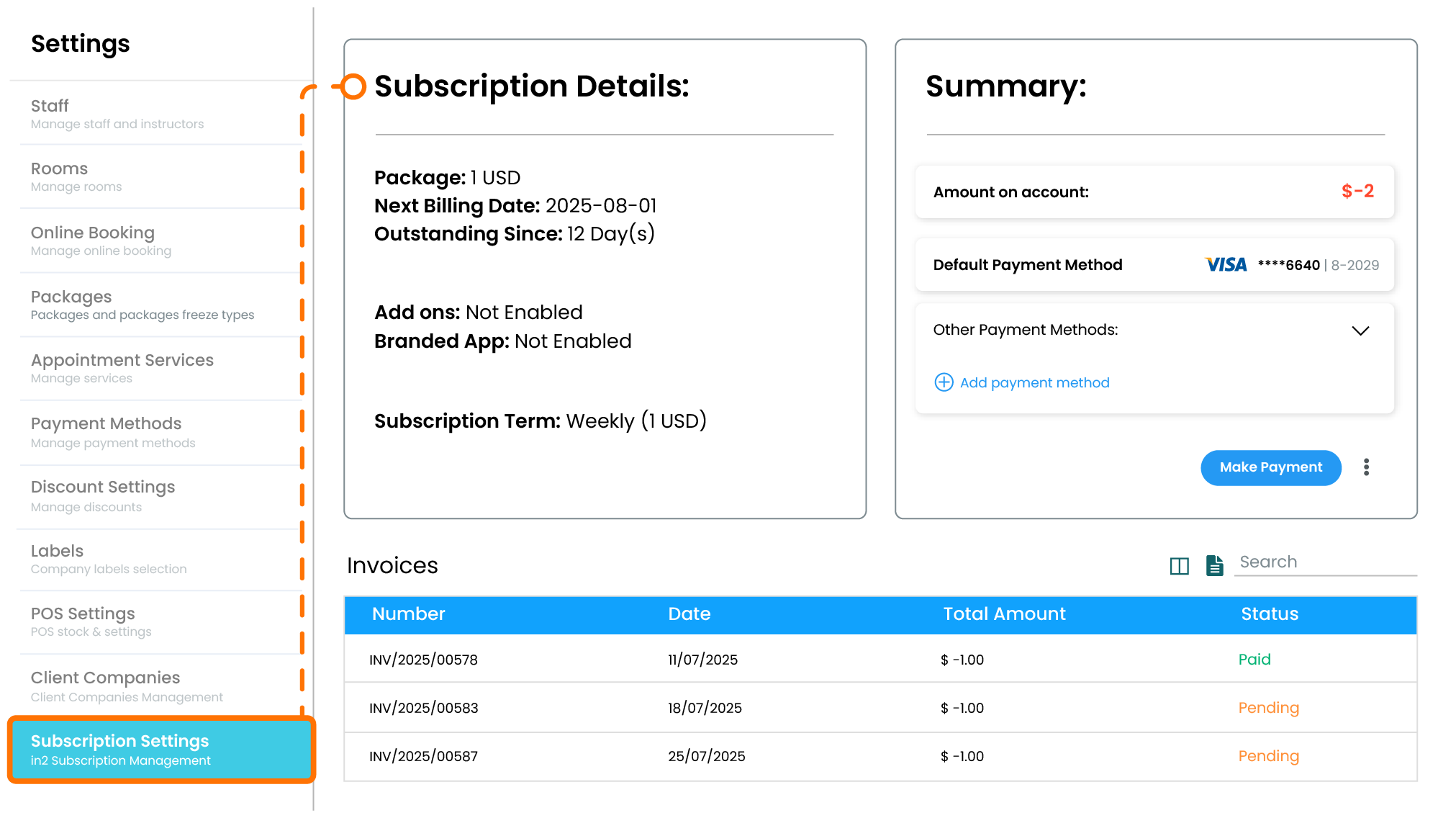
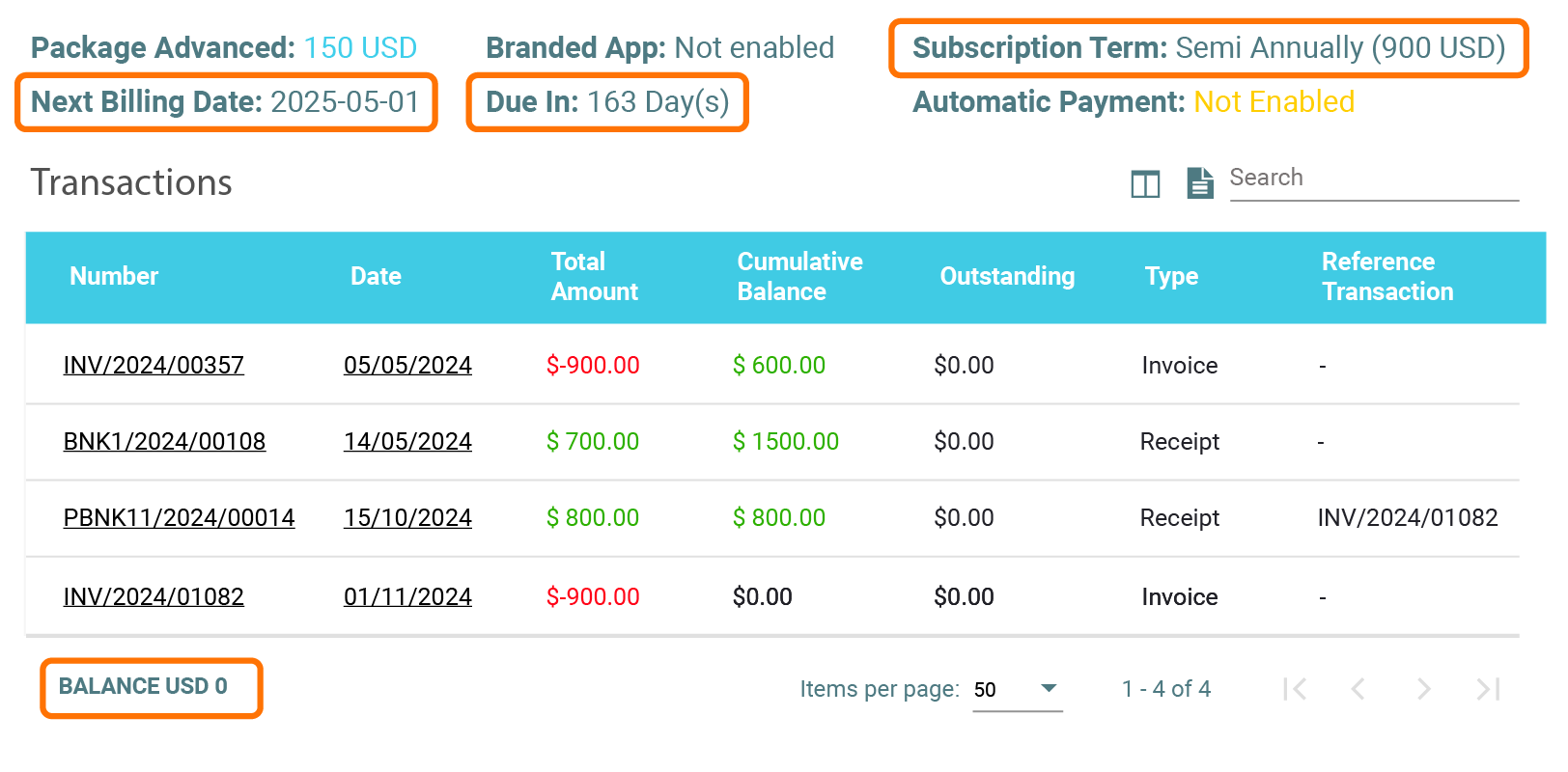
The Subscription Page is now Live!
Classes View is Updated to Time View
Branded App Packages Visibility Adjusted
Automatically Allocated Receipt for Online Payment
Xero Accounting System Integration
Buying a Package While Booking a Class and Paying at Front-Desk Option in App
Businesses can view their transaction history, subscription fee and type, and add ons. In addition, they are also able to display details such as their statement of account; including all paid amount, coverage period, and the next payment due date.
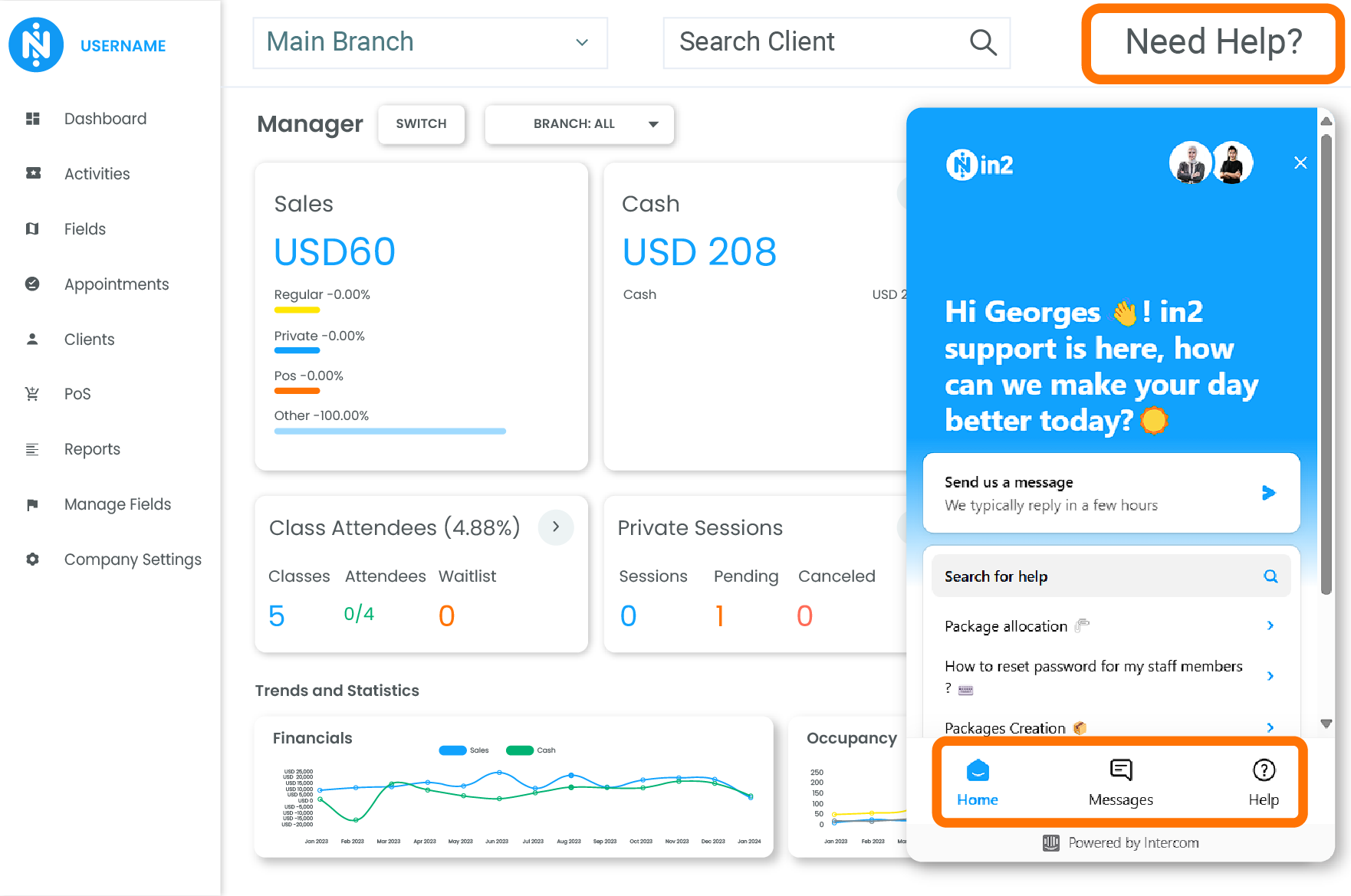
Reach out to our support team through the ‘Need Help?’ button.
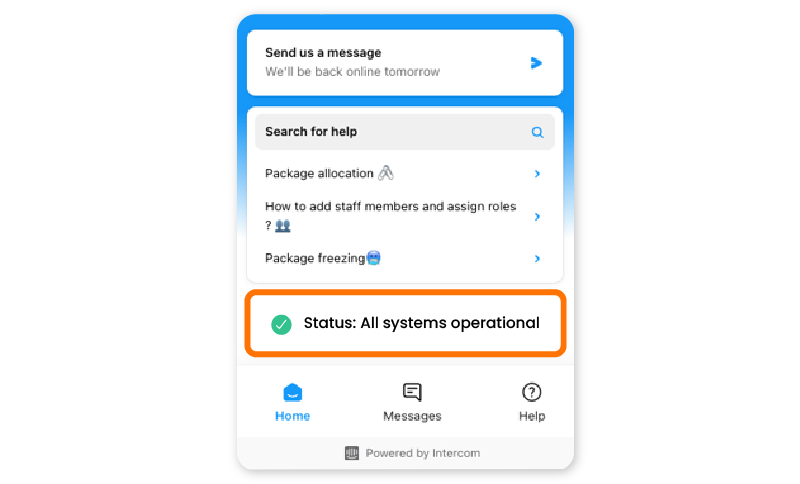
Intercom: Status Page provides real-time information about the availability and performance of a service or system.
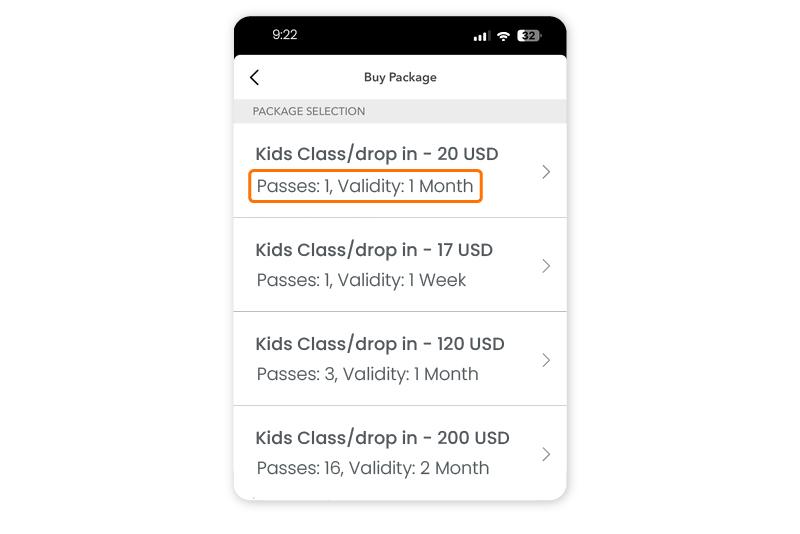
On Branded Apps, the visibility of the packages has been adjusted. (Passes: X, Validity: X)
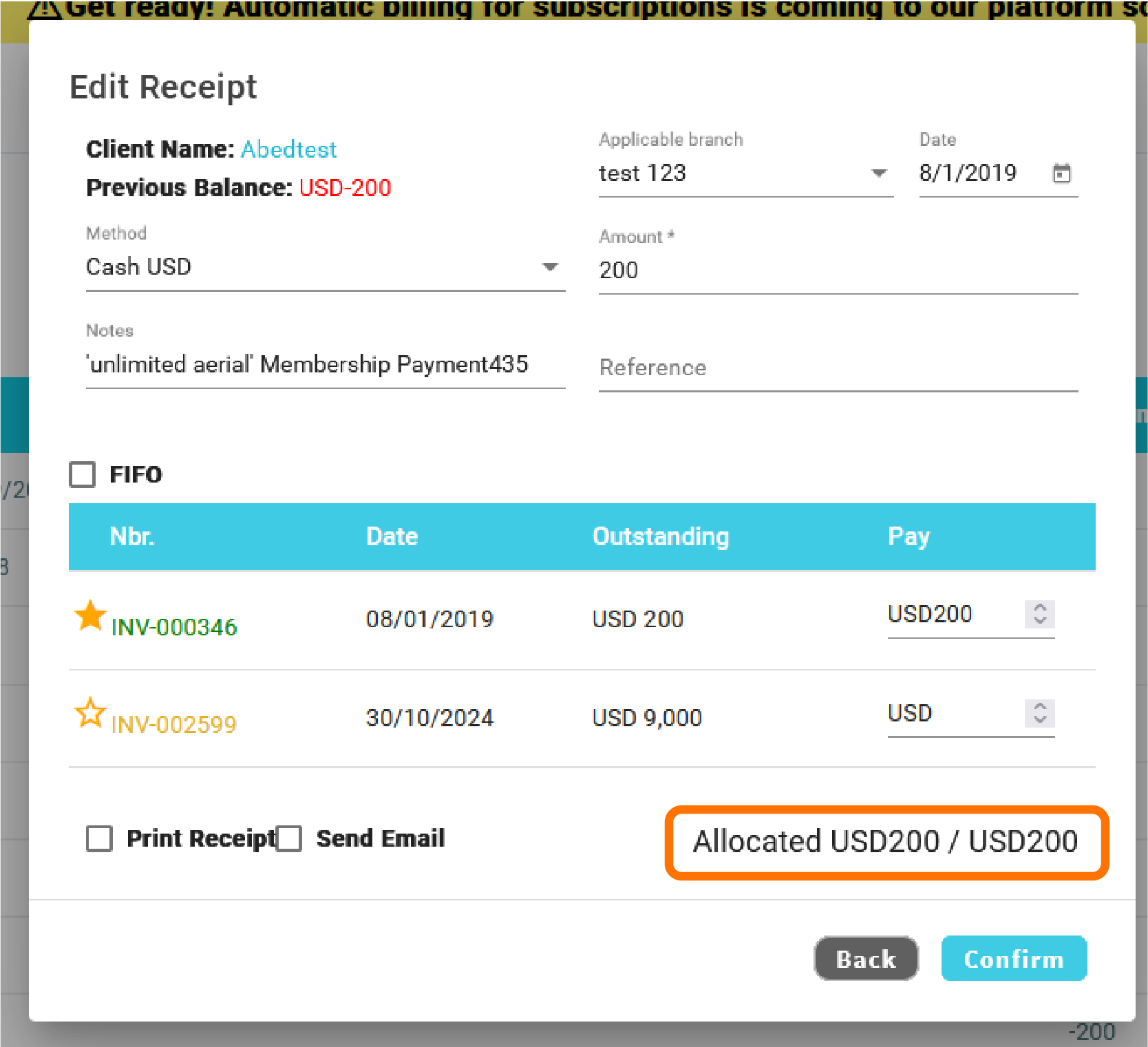
If the client paid online, the receipt is automatically allocated
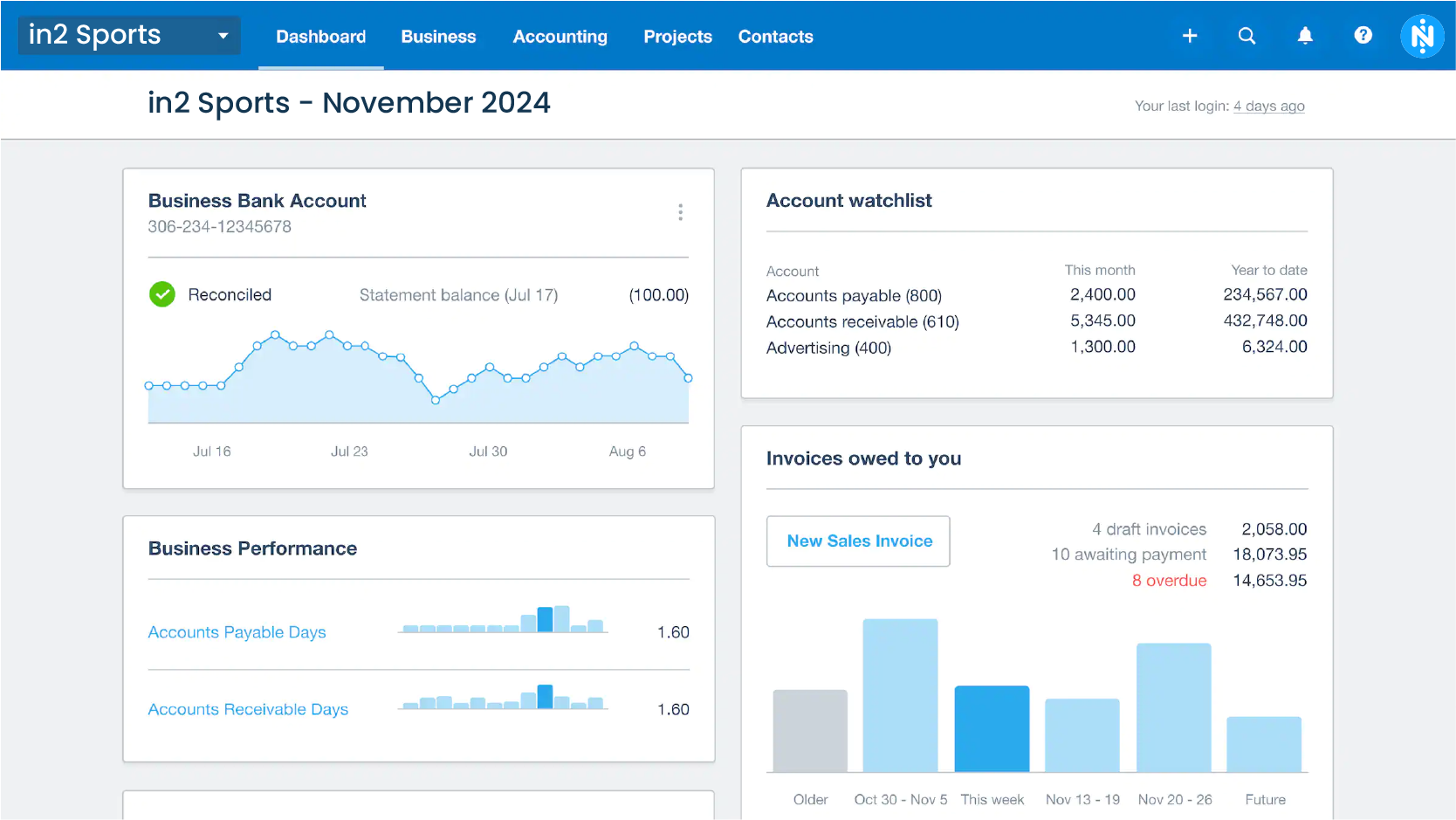
Xero Accounting System Integration is now available
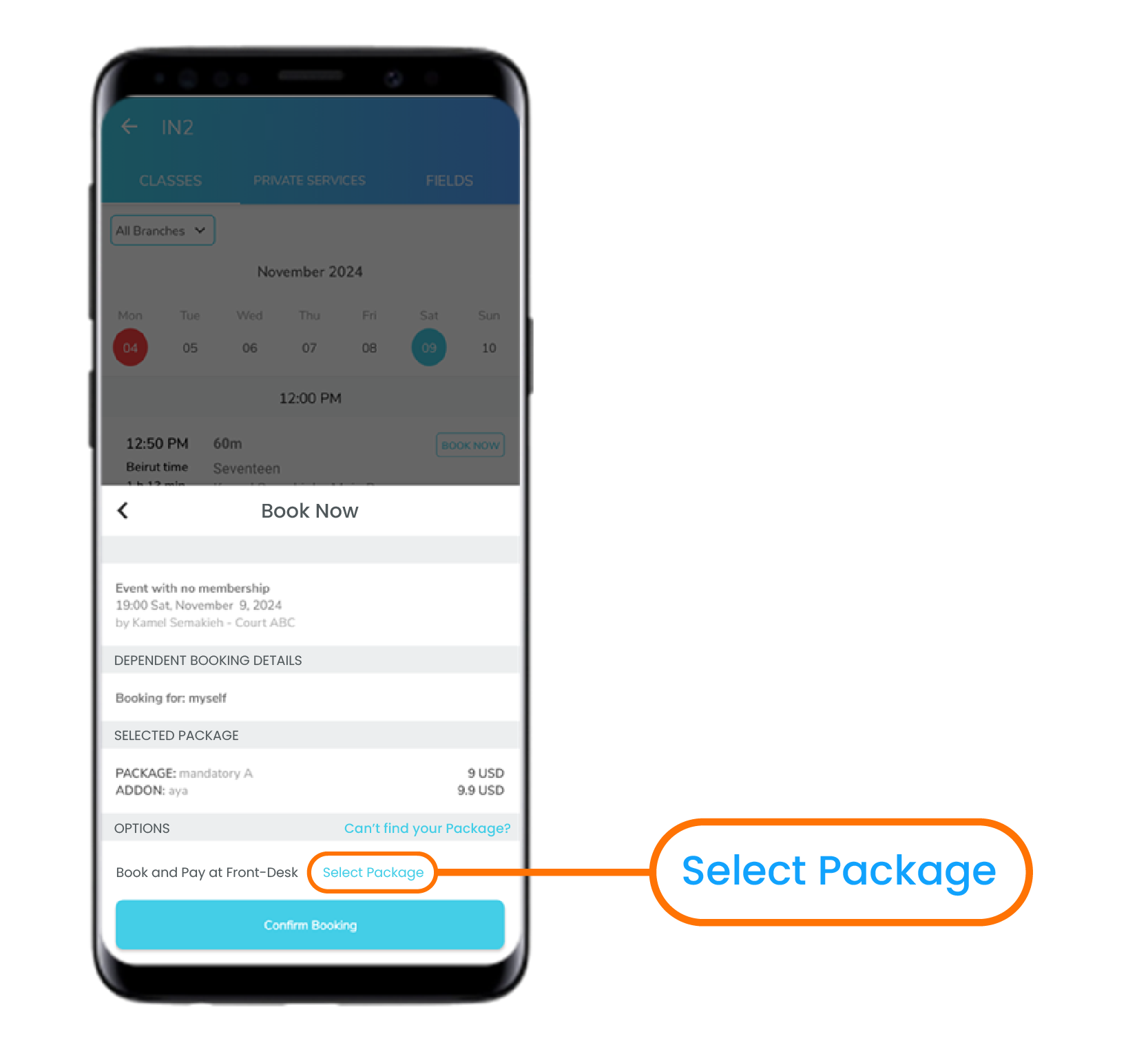
App: Users can buy a Package while booking a class and paying at front-desk
October 2024
Payroll Report - Instructors by Branch
New Filter 'Package' Dropdown in 'Membership Expiry Report'
New 'Date Selection' Filter in 'Membership Expiry Report'
'Has a KIT' instead of 'Vaccinated'
When Disabled, PT/Classes/Fields Don't Show on the App
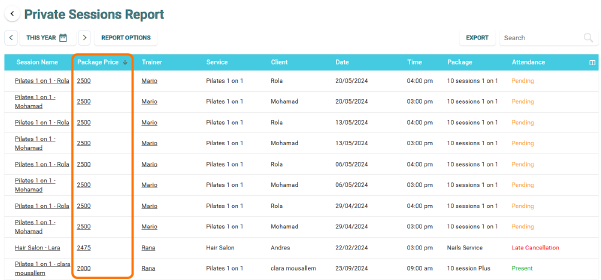
New 'Package Price' Column in 'Private Sessions Report'
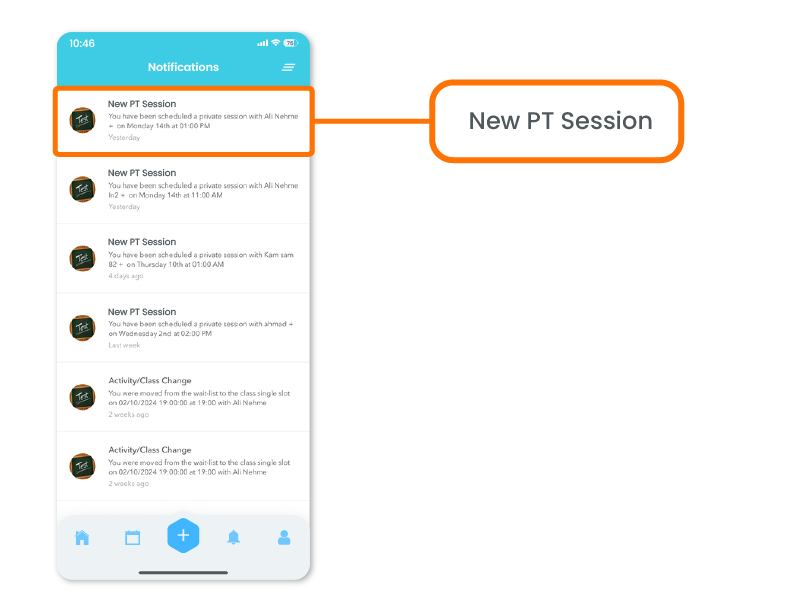
'New Class' Changed to 'New PT Session'
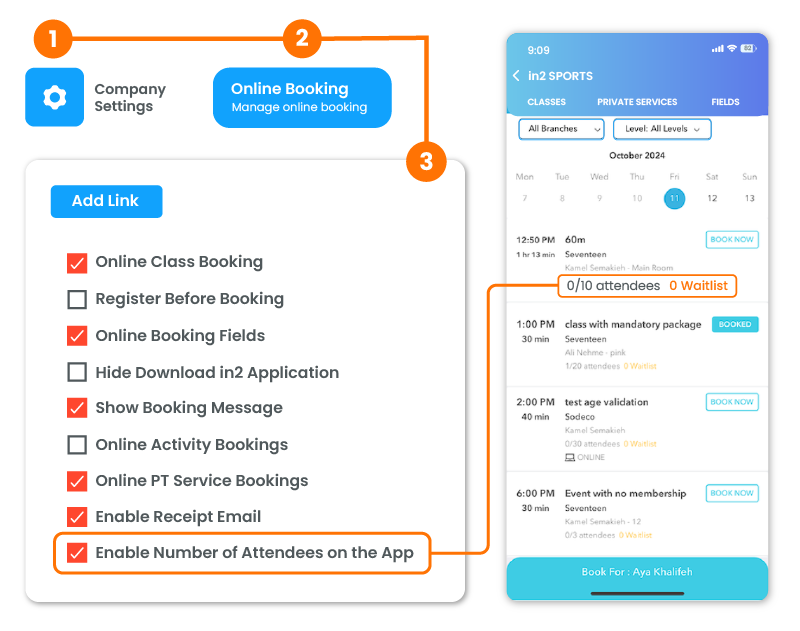
Ability to Hide Attendees and Waitlist on the App
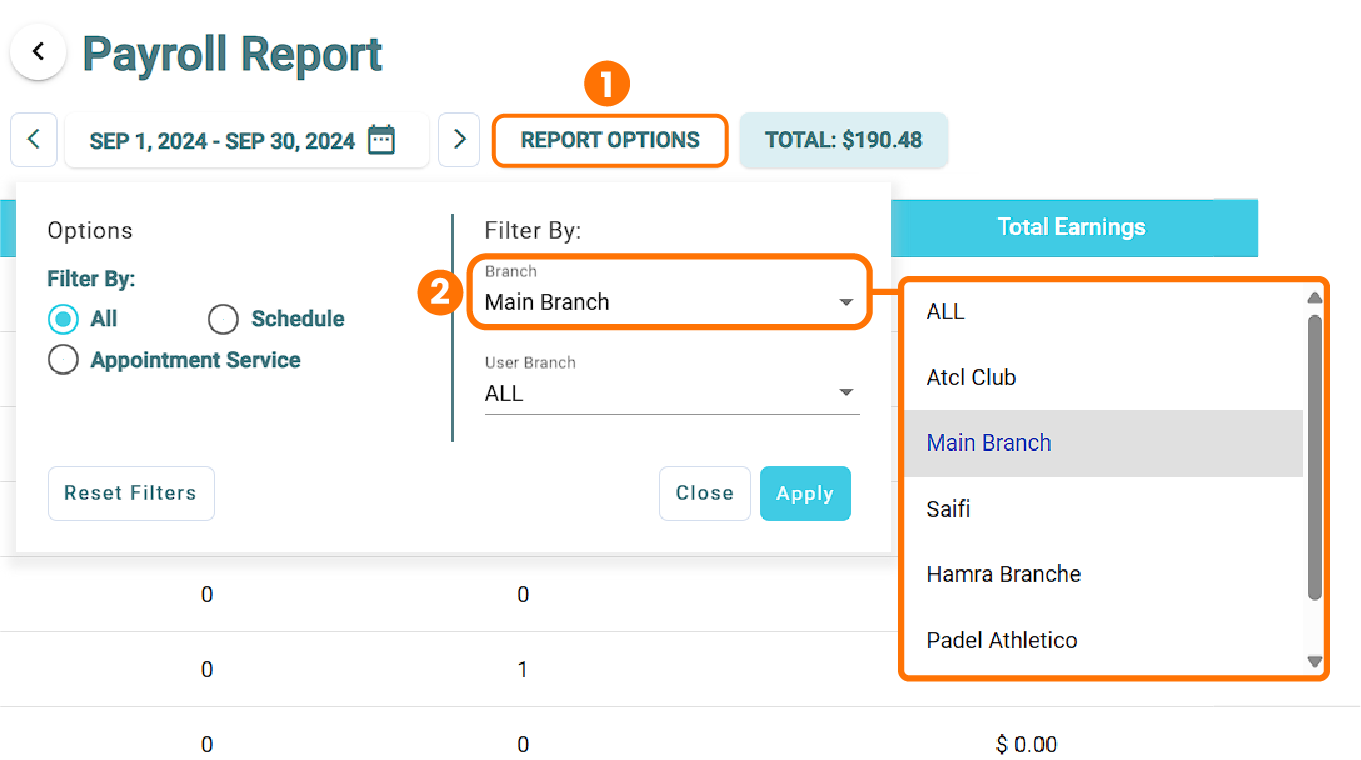
In the Payroll Report, when filtering by Branch, only Instructors in the selected Branch will appear.
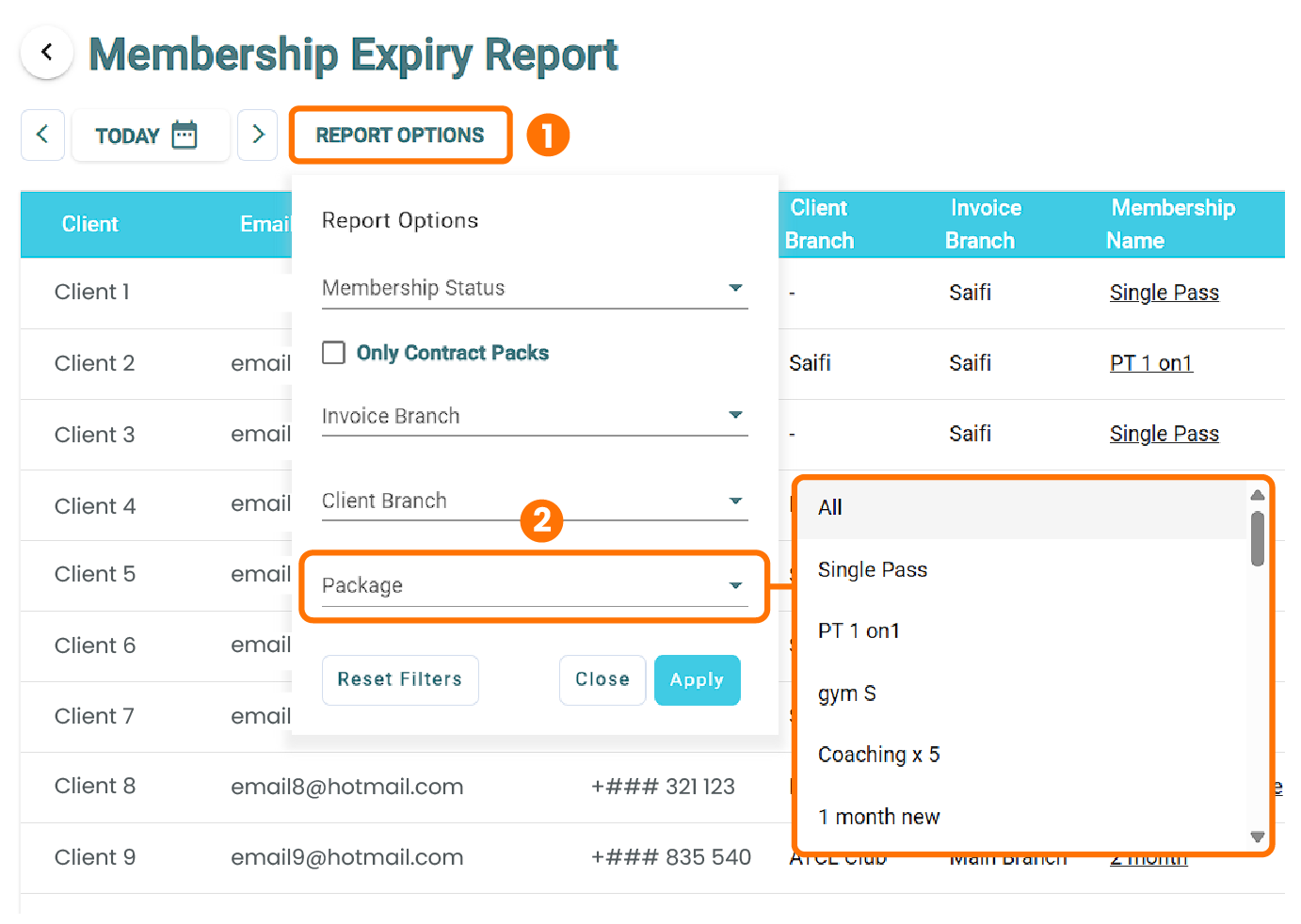
In the Membership Expiry Report, added a new filter Per Package dropdown.
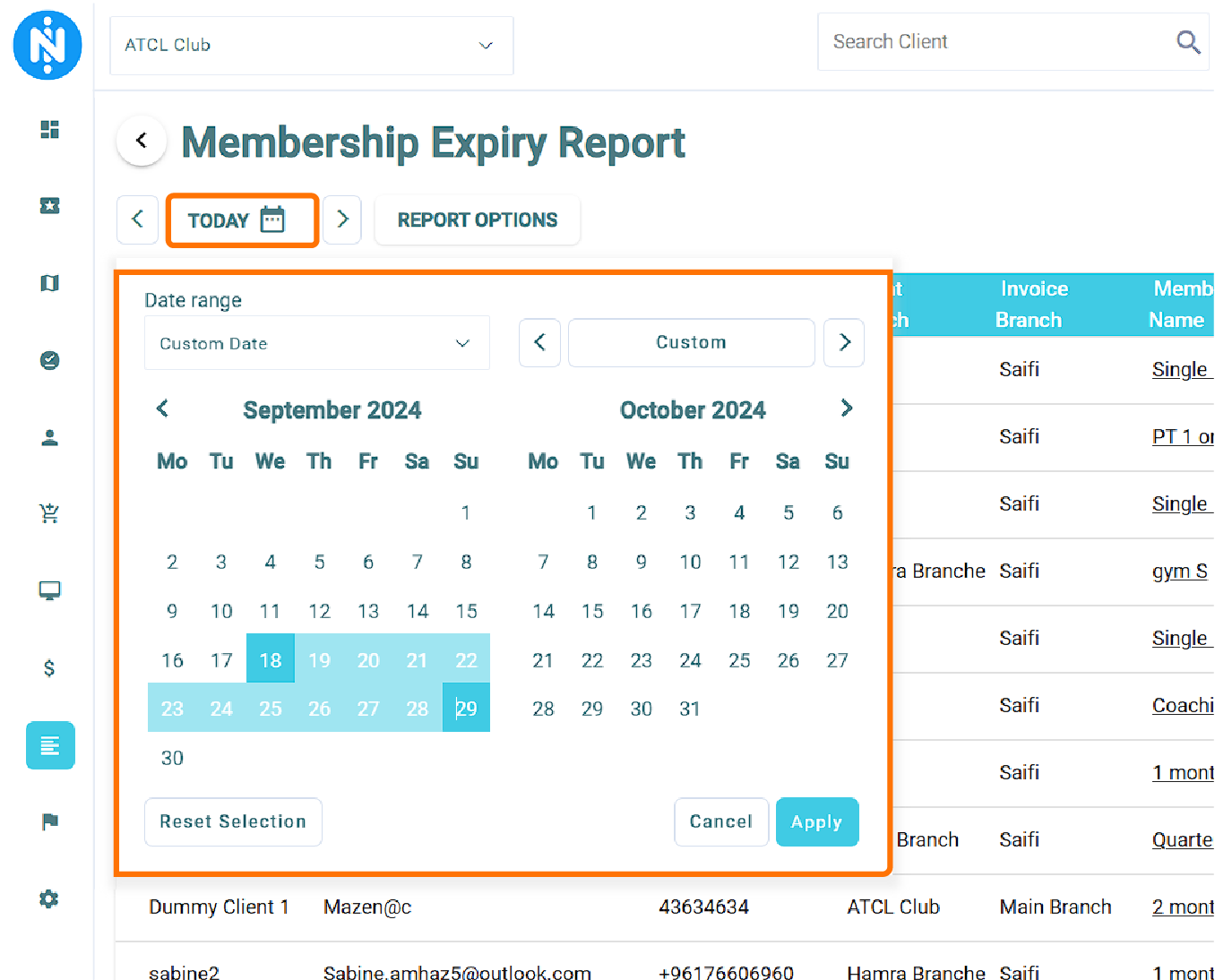
In the Membership Expiry Report, New Date Selection Filter.
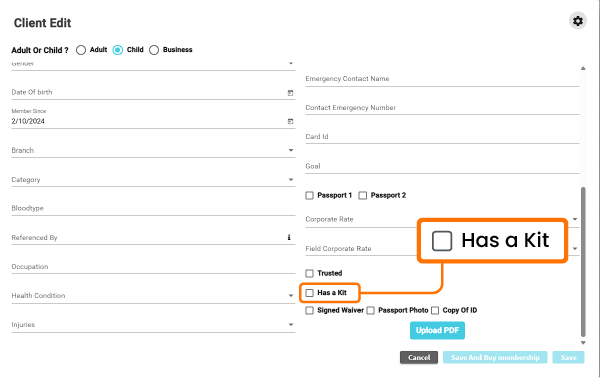
Replaced the 'Vaccinated' checkbox with 'Has a KIT' when adding a client.
Completely removed the PT, Classes or Fields from the App when disabled from the portal.
In the Private Sessions Report. a new column has been added under the name of 'Package Price'
When receiving a notification on the app that you have been scheduled a private session, the title is changed from 'New Class' to 'New PT Session'
Added a Checkbox in the Portal to Enable or Disable the Number of Attendees and Waitlist to Show on the App
September 2024
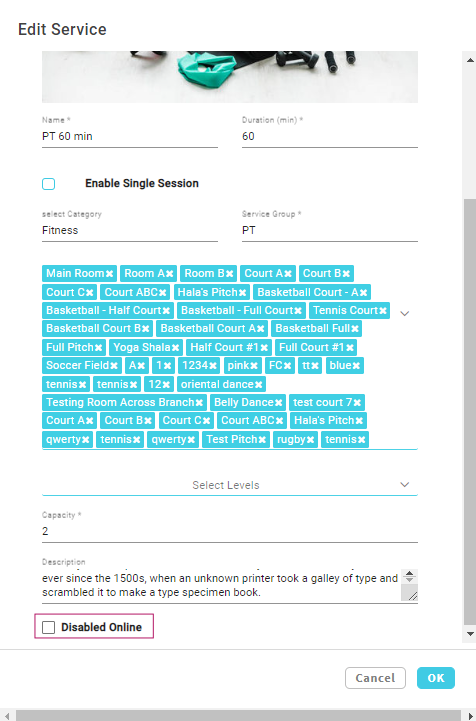
Disable Appointment Services on App
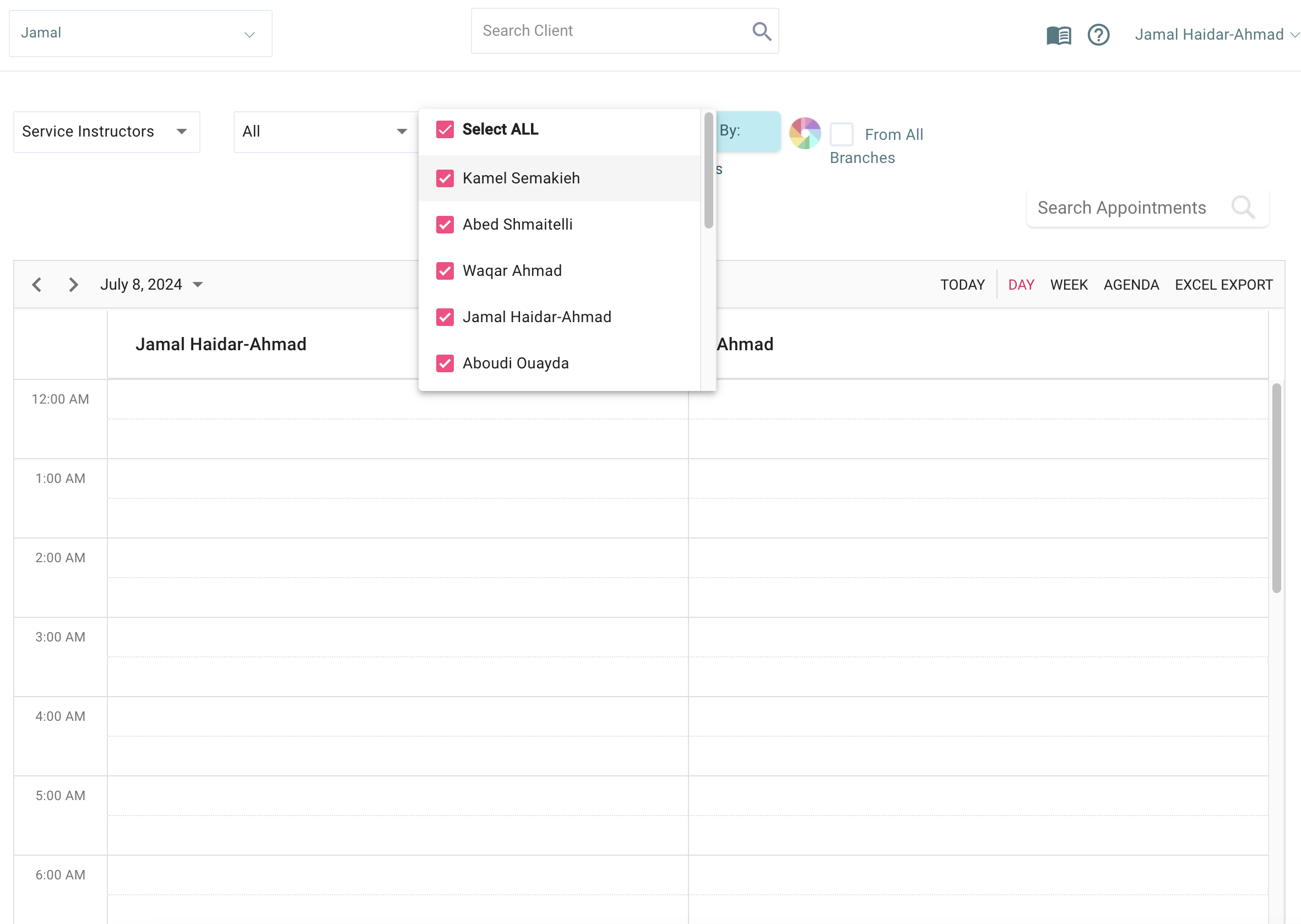
Only the Instructors assigned to the Branch Appear
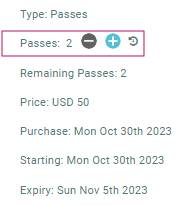
Ability to Remove Clients' Passes till Zero Passes
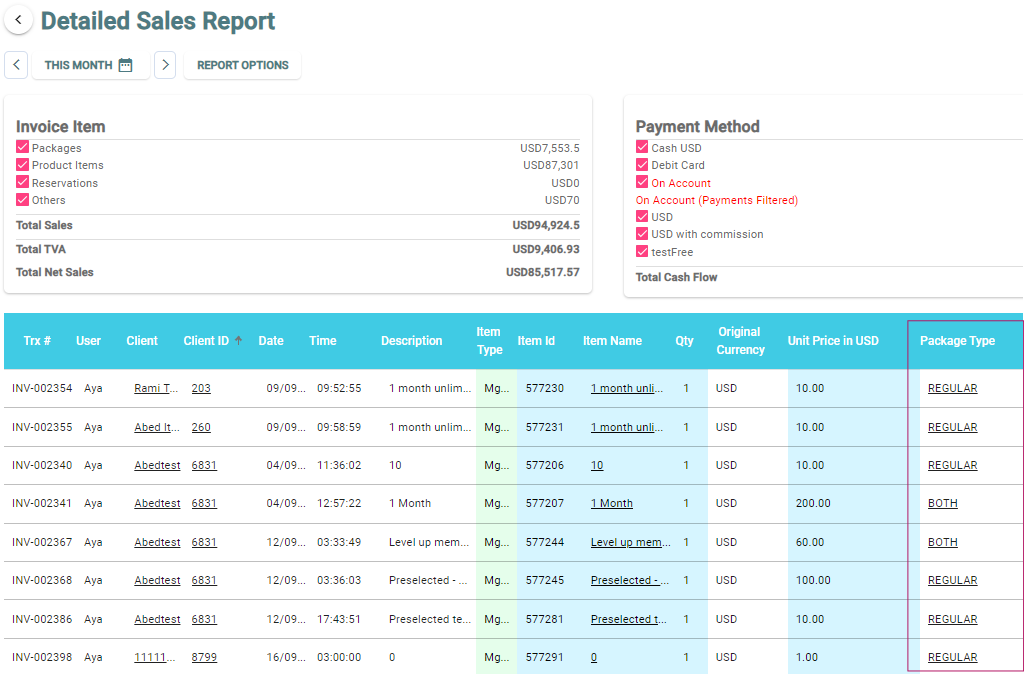
'Package Type' Column Added to 'Detailed Sales Report'
'Signed Waiver Date' Column Added in 'Clients Module'



Unlock your Studio's Full Potential
Book a 15-minute call with one of our experts. We’ll learn about your business, show you what in2 looks like for a studio like yours, and answer every question you have.